✅ Future-proofBuilt to keep working — even if the maker walks away.
It works locally over Z-Wave, so it keeps running even if Steinel GmbH shuts down the app or the servers. Nothing here ties you to a single company's survival.
Works locally over Z-Wave — keeps running without the maker's cloud
Still in production
Based on how this device connects (local vs. cloud), whether it’s still sold and supported, and its app / subscription. A guide, not a guarantee.
Connectivity
Z-Wave
Prices
No prices yet — be the first to add one.
Community tags
Be the first to tag this page — tags appear right away. Try a theme, capability, or subject (e.g. WWII, heist, slow burn, time travel, A24).
Community photos
Photos from members
No member photos yet.
Reviews
What members say
Sign in to rate RS LED D2 Z-Wave and share a photo.
No reviews yet.
Community
Be the first to start a thread about RS LED D2 Z-Wave
Threads post into the Steinel GmbH community forum.
Sign in to start a thread in the Steinel GmbH community.
Edit history
Loading edit history…
Certified
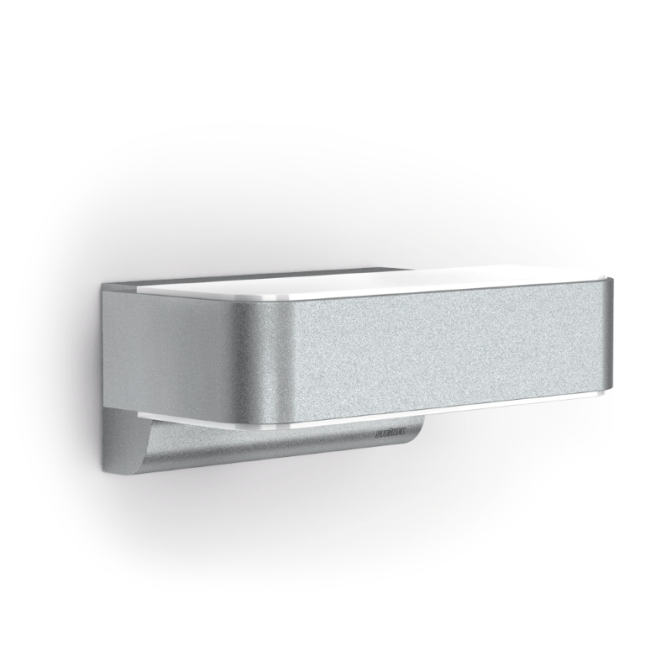
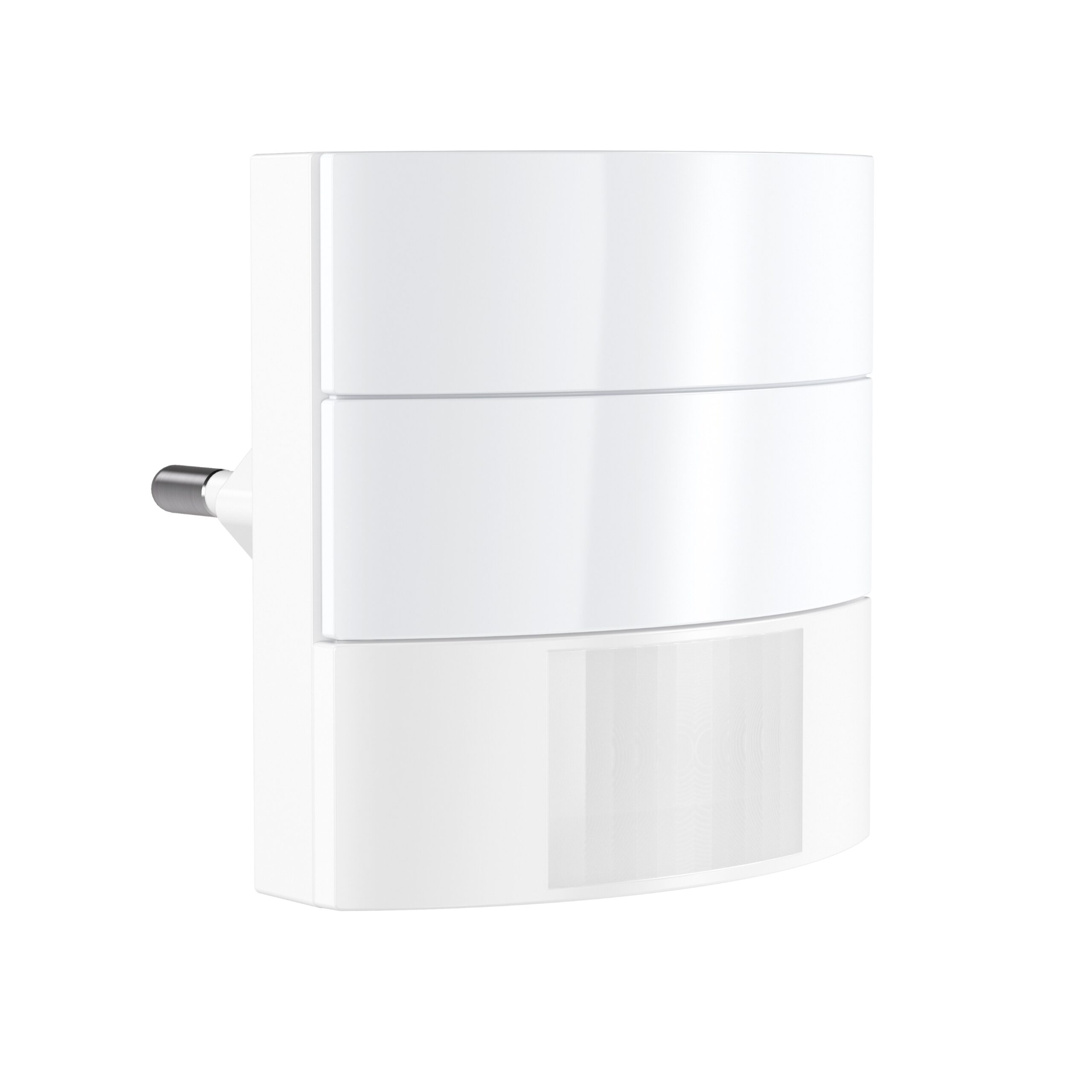
Sleek, attractive lines. Opting for the RS LED D2 designer indoor luminaire, you'll be giving your home a real designer highlight with pleasant LED illumination. With its stunning looks and intelligent technology, this light provides the last word in stylish home convenience. Once fitted to the wall or ceiling, the high-frequency sensor switches it 'ON' and 'OFF' in complete silence and all automatically. The light is child's play to install and the function settings on the product are easy to understand too. Your neighbours will be amazed. Smart home included. The optional Smart Friends Box and the free Smart Friends app make it easy to set the RS PRO LED D2 Z-Wave via smart phone or tablet. The light can also be switched ON or OFF via app. Other Steinel products can also be interconnected. If you wish, this also works via remote control when you are out. That completes your own light management system. Along with STEINEL products, Smart Friends solutions from PAULMANN, SCHELLENBERG and ABUS can also integrated. Smart homes from a brand-name provider.
Want to buy adds it to your wish list and follows Steinel GmbH for updates. I own it adds it to your collection.
Sleek, attractive lines. Opting for the RS LED D2 designer indoor luminaire, you'll be giving your home a real designer highlight with pleasant LED illumination. With its stunning looks and intelligent technology, this light provides the last word in stylish home convenience. Once fitted to the wall or ceiling, the high-frequency sensor switches it 'ON' and 'OFF' in complete silence and all automatically. The light is child's play to install and the function settings on the product are easy to understand too. Your neighbours will be amazed. Smart home included. The optional Smart Friends Box and the free Smart Friends app make it easy to set the RS PRO LED D2 Z-Wave via smart phone or tablet. The light can also be switched ON or OFF via app. Other Steinel products can also be interconnected. If you wish, this also works via remote control when you are out. That completes your own light management system. Along with STEINEL products, Smart Friends solutions from PAULMANN, SCHELLENBERG and ABUS can also integrated. Smart homes from a brand-name provider.
Hardware platform
ZM5202
Short description
High-frequency sensor-switched indoor light RS LED D2 Z-Wave can be integrated into the Smart Friends system or any other Z-Wave network, ideal for corridors, hallways, stairwells and bathrooms. 11W for 600 lumens of light, STEINEL LED lighting system, 360° high-frequency sensor with 3-8 m reach, switches light ON without a sound, with ambient light.
Product identifier
6772
Countries / regions
European Union
Certification number
ZC10-17035489
Configuration parameters
Parameter Number Name Description Format Size Min Value Max Value Default Value Parameter Values 10
Supports explorer frames
Yes
Supported command classes
Identifier Name Key Version COMMAND_CLASS_SCENE_ACTUATOR_CONF
Controlled command classes
Identifier Name Key Version COMMAND_CLASS_BASIC
Supported multilevel sensors
Multilevel Sensor Type General purpose
Supported notification types
Notification Type Event / State Home Security
Value home security system switch load capacity watts value 11 sensors value motion/no motion (binary) luminance switch load capacity current value 0,070 switch load capacity volt ampere value 17 z wave scene type value scene firmware updatable value updatable by consumer by rf outdoor use neutral wire required electric load type value led color value white association groups
Group Number Maximum Nodes Supported End Point ID Description 1
From to description 101 200 timeout: 1 minute (101) to 100 minutes (200) 1 minute resolution 201 209 timeout: 1 hour (201) to 9 hours (209) in 1 hour resolution 0 0 lamp is switched off and remains so until any new motion event (local or remote) is received. 1 100 timeout: 1 second (1) to 100 seconds (100) in 1 second resolution 255 255 lamp is switched off for time (cfg 1). it does not wait for a motion event and works normally via current motion evaluation 11 on behaviour behaviour after basic on (and similar commands). if a transition (even with zero change) with a non default duration is to be processed, the transition cannot be interrupted by any motion event in any case. for values 1 209 lamp is switched on and remains so until after a specified timeout once a new motion event (local or remote) is received. it then works normally via current motion evaluation. 0 2 0 0 255 from to description 1 100 timeout: 1 second (1) to 100 seconds (100) in 1 second resolution 0 0 lamp is switched on and remains so until any new motion event (local or remote) is received. it then works normally via current motion evaluation. notice – during the day, this mode cannot be ended remotely due to motion events not being transmitted – only via local motion sensor if enabled. 101 200 timeout: 1 minute (101) to 100 minutes (200) 1 minute resolution 201 209 timeout: 1 hour (201) to 9 hours (209) in 1 hour resolution 255 255 lamp is switched on for time (cfg 1). it does not wait for a motion event and works normally via current motion evaluation. 5 sensitivity motion sensor (radar) sensitivity [%] value can be controlled via potentiometer – potentiometer value is used as the default value and any potentiometer movement rewrites the current setting 0 1 0 0 100 from to description 2 100 % 6 brightnes meas interval brightness measuring interval [ minutes ] interval for ambient light measuring when lamp is on ( lamp switches off shortly and measures ). 0=function is off 0 1 0 0 0 from to description 0 0 function is off 5 120 minutes 8 global light use external ambient light value when global light mode is on – device overrides its own light sensor values and uses light report values from any z wave light sensor instead – this has to be configured appropriately to send light automatically. if the last remote light level value is older than 30 minutes, the internal light value is used again until the next external value is received. 0 1 0 0 1 from to description 1 1 on function 0 0 off function 9 slave mode can disable sensor controll “stupid” mode (bit 2 = 1): has higher priority then slave mode. lamp is permanently on (usefull for simple power wall switch controlling). slave mode ( bit 0 = 1 ): only if included in z wave network usefull for controlling via third party sensor lamp is directly controlled via z wave, internal sensors are not used for controlling it. central unit checking ( bit 1 = 1 ): ( usefull especialy for controlling via gateway ) when slave bit is 0: lamp signalises fail of lifeline connection ( if this bit is zero fail of lifeline connection is not signalised ) when slave bit is 1: lamp checks presence of z wave device in lifeline group ( gateway ). if it is not present for 2 minutes ( testing repeatedly every 30 seconds ) device switches to normal mode in the same way as after the end of local disabled mode ( on behaviour ) the device checks every 1 minute for recovery of lifeline connection. if no lifeline specified it works in normal mode be careful with this option, lamp stops using it’s own motion sensor in slave and stupid mode. 0 1 0 0 2 from to description 0 0 normal mode 1 1 slave mode without gateway checking 2 2 normal mode with lifeline error signalisation 3 3 slave mode with gateway checking 4 4 "stupid mode" lamp permanetly on 1 time duration of light after motion detection. 0 2 0 0 180 from to description 5 900 seconds 2 light light threshold [ lx ] 0 2 0 0 2000 from to description 0 0 run learn ambient light sequence (the level is set automatically) 2 1999 lux 2000 2000 2000 is used as daylight ( always night mode) texts