✅ Future-proofBuilt to keep working — even if the maker walks away.
It works locally over Z-Wave, so it keeps running even if Aeotec shuts down the app or the servers. Nothing here ties you to a single company's survival.
Works locally over Z-Wave — keeps running without the maker's cloud
Still in production
Companion app is actively updated
Based on how this device connects (local vs. cloud), whether it’s still sold and supported, and its app / subscription. A guide, not a guarantee.
Connectivity
Z-Wave
Prices
No prices yet — be the first to add one.
Community tags
Be the first to tag this page — tags appear right away. Try a theme, capability, or subject (e.g. WWII, heist, slow burn, time travel, A24).
Community photos
Photos from members
No member photos yet.
Reviews
What members say
Sign in to rate Heavy Duty Smart Switch Gen5 and share a photo.
No reviews yet.
Community
Be the first to start a thread about Heavy Duty Smart Switch Gen5
Threads post into the Aeotec community forum.
Sign in to start a thread in the Aeotec community.
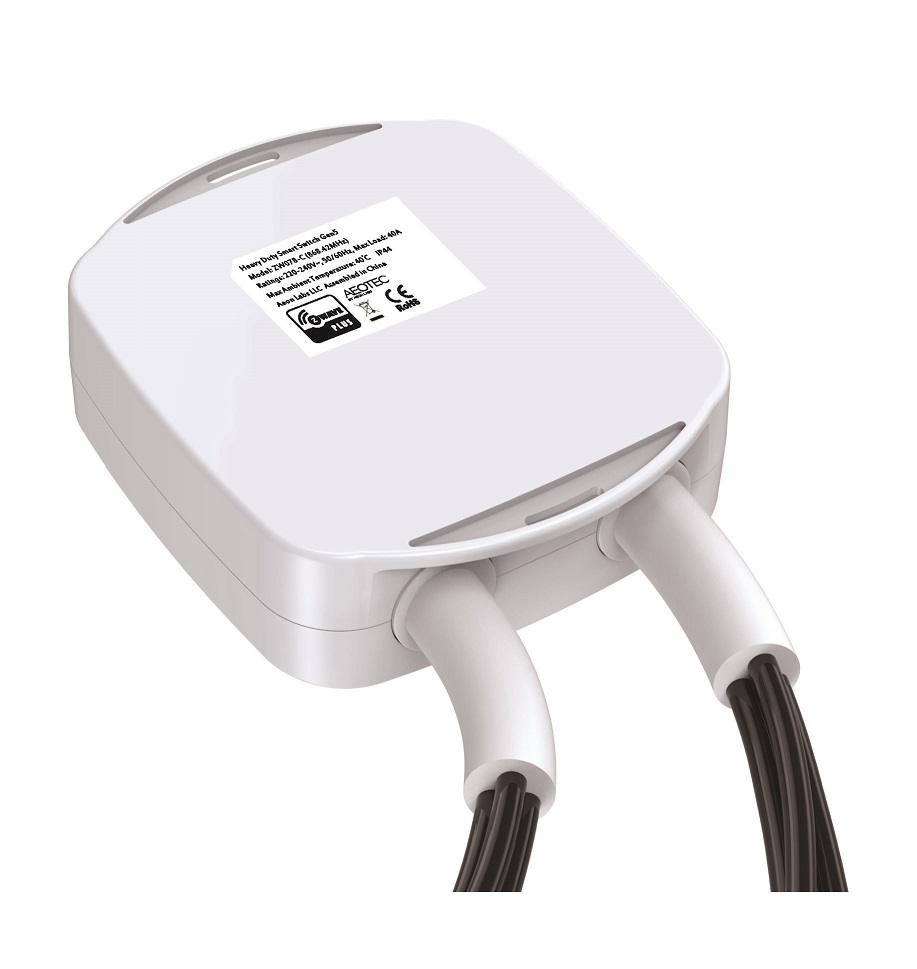
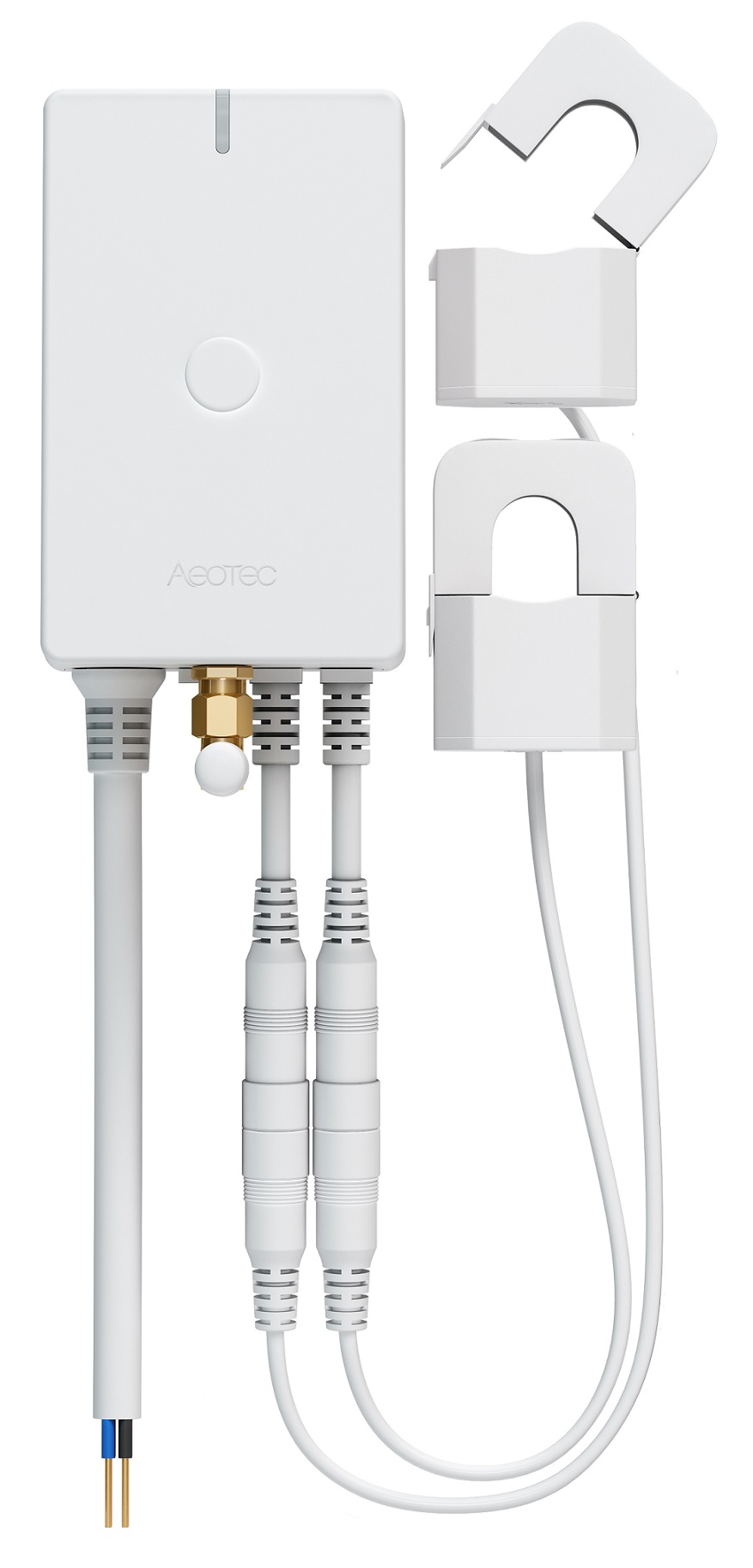
Aeon Labs Heavy Duty Smart Switch is a Z-Wave device that can report the wattage energy usage and KWH usage to a Z-Wave Controller (especially a gateway), it can be controlled by other Z-Wave devices to turn on/off loads, it can bear up to 40A current of resister loads. It also acts as a repeater that forward Z-Wave command messages to destination nodes if the originating controller is out of range from the destination node. By taking advantage of the Z-Wave mesh network, commands can be routed to their destination via intermediary “listening” Z-Wave products. Products that are Z-Wave certified can be used and communicate with other Z-Wave certified devices.
Want to buy adds it to your wish list and follows Aeotec for updates. I own it adds it to your collection.
Aeon Labs Heavy Duty Smart Switch is a Z-Wave device that can report the wattage energy usage and KWH usage to a Z-Wave Controller (especially a gateway), it can be controlled by other Z-Wave devices to turn on/off loads, it can bear up to 40A current of resister loads. It also acts as a repeater that forward Z-Wave command messages to destination nodes if the originating controller is out of range from the destination node. By taking advantage of the Z-Wave mesh network, commands can be routed to their destination via intermediary “listening” Z-Wave products. Products that are Z-Wave certified can be used and communicate with other Z-Wave certified devices.
Hardware platform
ZM5202
Short description
Heavy Duty Smart Switch Gen5 is an on/off switch module that also provides energy metering.
Association groups
Group Number Maximum Nodes Supported End Point ID Description 2
Product identifier
ZW078-C
Countries / regions
European Union
Certification number
ZC10-14090016
Configuration parameters
Parameter Number Name Description Format Size Min Value Max Value Default Value Parameter Values 91
Supports explorer frames
Yes
Controlled command classes
Identifier Name Key Version COMMAND_CLASS_SWITCH_BINARY
From to description 0 32767 the threshold can be set from 0 to 32767 watt. 92 induce an automatic report this parameter is used to induce an automatic report when the change of the current power is more/less than the threshold in percentage. 0 1 0 0 10 from to description 0 100 the threshold can be set from 0 to 100 percent. 103 to set which report need to be sent. this parameter is used to configure which reports need to be sent in report group 3. the values corresponding to the first four bits of the parameter value may be combined to create different combinations of reports that you wish to have sent. for example, instantaneous current is the value 2 and instantaneous watts is the value 4, so setting parameter 103 to a value of 6 will result in both instantaneous current and instantaneous watts to be reported. see the full description of the parameter values for other possible settings. 0 4 0 0 0 from to description 8 8 report accumulated k wh 1 1 report instantaneous voltage 2 2 report instantaneous current (amperes) 4 4 report instantaneous watts 90 enable/disable the function of parameter 91 and 92. this parameter is used to enable/disable the function of parameter 91 and 92 (1=enabled, 0=disabled). 0 1 0 0 1 from to description 0 0 configuration parameters 91 and 92 are disabled 1 1 configuration parameters 91 and 92 are enabled 3 current overload protection this parameter is used for the overload protection, which means the load will be disconnected after 5 seconds when the current more than 39.5 a. 0 1 0 0 0 from to description 0 0 overload protection disabled 1 1 overload protection is enabled 111 set the interval time of sending report. this parameter is used to set the interval time of sending report in report group 1. (the unit of time is second). 0 4 0 0 300 from to description 0 268435456 interval seconds 112 set the interval time of sending report. this parameter is used to set the interval time of sending report in report group 2. (the unit of time is second). 0 4 0 0 120 from to description 0 268435456 interval seconds 113 set the interval time of sending report. this parameter is used to set the interval time of sending report in report group 3. (the unit of time is second). 0 4 0 0 120 from to description 0 268435456 interval seconds 200 partner id this parameter is used to configure the partner id. (0== aeon labs standard product, 1~255== others). 0 1 0 0 0 from to description 0 0 aeon labs standard product 1 255 partner id of partner product 252 enable/disable lock configuration this parameter is used to enable/disable lock all configuration parameters. (0 =disable, 1 = enable) 0 1 0 0 0 from to description 0 0 all configuration parameters are configurable. 1 1 all configuration parameters are not configurable (locked). 102 to set which report need to be sent. this parameter is used to configure which reports need to be sent in report group 2. the values corresponding to the first four bits of the parameter value may be combined to create different combinations of reports that you wish to have sent. for example, instantaneous current is the value 2 and instantaneous watts is the value 4, so setting parameter 102 to a value of 6 will result in both instantaneous current and instantaneous watts to be reported. see the full description of the parameter values for other possible settings. 0 4 0 0 8 from to description 2 2 report instantaneous current (amperes) 1 1 report instantaneous voltage 4 4 report instantaneous watts 8 8 report accumulated k wh 255 reset to default factory setting this parameter is used to reset product to default factory setting. (there are just 2 values can be used). 0 4 0 0 0 from to description 1431655765 1431655765 reset the product to default factory setting and be excluded from the z wave network. 1 1 resets all configuration parameters to default setting. 80 enable/disable to send notifications to associated devices to associated devices. this parameter is used to enable/disable to send notifications to associated devices (in group 1) when the state of smart switch gen5’s load is changed. (0=send nothing, 1=send hail cc, 2=send basic report cc). 0 1 0 0 0 from to description 2 2 send basic report command 0 0 send nothing (disabled) 1 1 send hail command 101 to set which report need to be sent. this parameter is used to configure which reports need to be sent in report group 1. the values corresponding to the first four bits of the parameter value may be combined to create different combinations of reports that you wish to have sent. for example, instantaneous current is the value 2 and instantaneous watts is the value 4, so setting parameter 101 to a value of 6 will result in both instantaneous current and instantaneous watts to be reported. see the full description of the parameter values for other possible settings. 0 4 0 0 4 from to description 4 4 report instantaneous watts 1 1 report instantaneous voltage 8 8 report accumulated k wh 2 2 report instantaneous current (amperes) texts