✅ Future-proofBuilt to keep working — even if the maker walks away.
It works locally over Z-Wave, so it keeps running even if Dooya shuts down the app or the servers. Nothing here ties you to a single company's survival.
Works locally over Z-Wave — keeps running without the maker's cloud
Still in production
Based on how this device connects (local vs. cloud), whether it’s still sold and supported, and its app / subscription. A guide, not a guarantee.
Connectivity
Z-Wave
Prices
No prices yet — be the first to add one.
Community tags
Be the first to tag this page — tags appear right away. Try a theme, capability, or subject (e.g. WWII, heist, slow burn, time travel, A24).
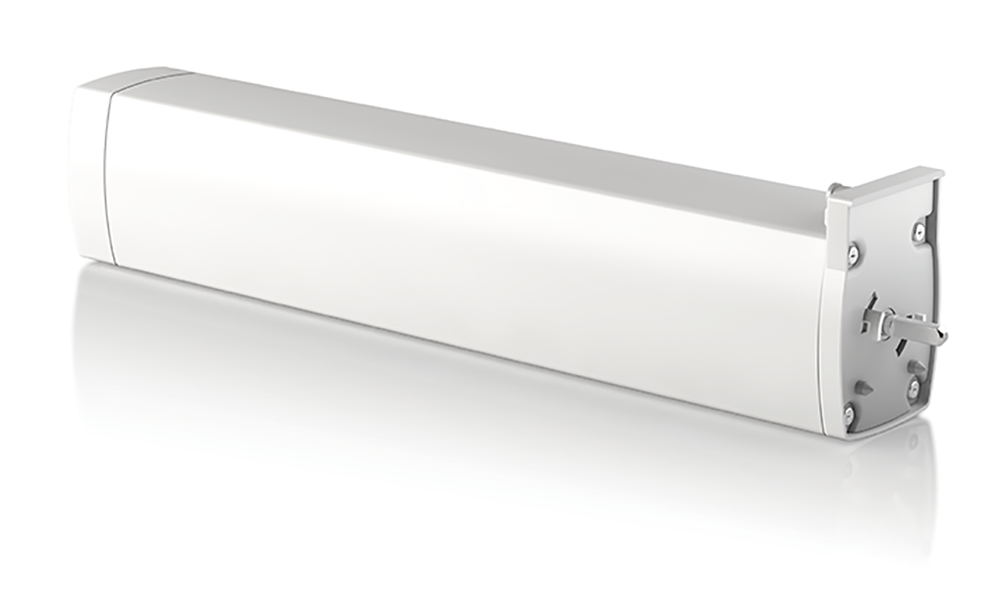
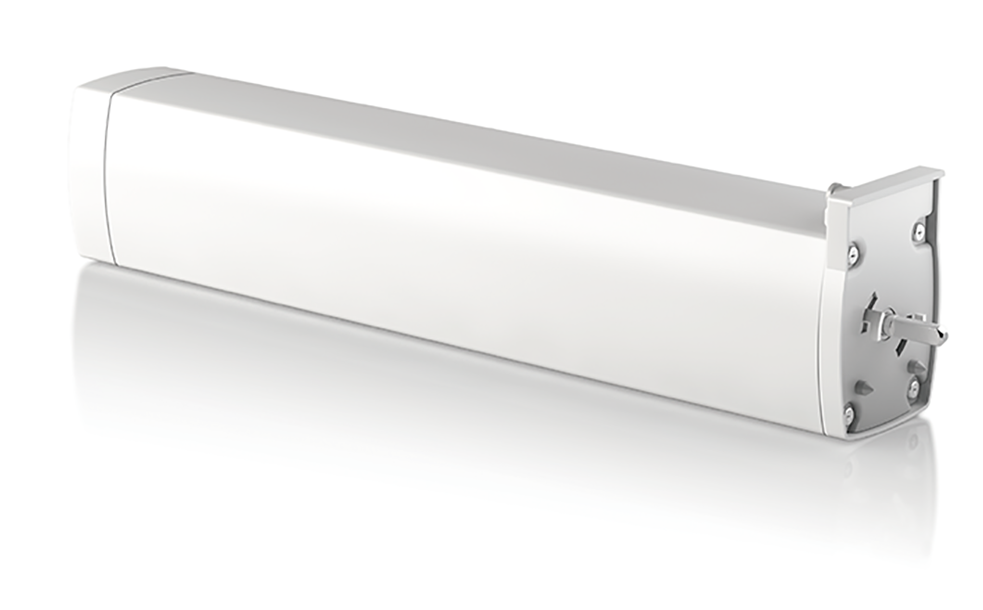
DOOYA Z-Wave curtain motor is designed with exceeding commercial standards, with its exceptional quietness and user-friendly setup. Multiple control options enable the users to operate the curtain by remote, APP, or with hands. Pull to move function would be especially helpful and convenient to users who are not yet familiar with motorization. Durability in use guarantee a 10,000 times use. Additionally, the motor is more than what were mentioned above. 1. Quick set limits: the motor would set its limit positions automatically with a full ride opening and closing on the track. 2. Soft start & soft stop: A smooth running with a soft start and soft stop provide a premium visual effect. 3. Pull to move: Just do what you always did on a normal curtain, but you do not have to pull the fabric all the way to the end. Just one touch of pulling on the fabric, the motor will start running until it reaches its end. 4. If the power was gone, you can still operate the curtain as a normal curtain. When the power is back, all the settings are still there. 5. RF compatibility: Dooya Z-Wave curtain motor is also compatible with the whole range of Dooya RF remotes, various choices and a different combination would satisfy all kinds of different needs.
Want to buy adds it to your wish list and follows Dooya for updates. I own it adds it to your collection.
DOOYA Z-wave curtain motor is designed with exceeding commercial standards, with its exceptional quietness and user friendly set up. Multiple control options enable the users to operate the curtain by remote, APP, or with hands. Pull to move function would be especially helpful and convenient to users who are not yet familiar with motorization. Durability in use guarantee a 10,000 times use. Additionally, the motor is more than what were mentioned above.
Hardware platform
ZM5202
Short description
Z-Wave integrated Curtain Motor
Association groups
Group Number Maximum Nodes Supported End Point ID Group Name Profile Description 2
Product identifier
DT82TV / F-1.2 / 14
Countries / regions
Japan
Certification number
ZC10-20016829
Radio range z wave (m)
40
Configuration parameters
Parameter Number Name Description Format Size Min Value Max Value Default Value Parameter Values 2
Supports explorer frames
Yes
Supported command classes
Identifier Name Key Version COMMAND_CLASS_FIRMWARE_UPDATE_MD_V4
From to description 0 1 0: enable motor open hand start function 1: disable motor open hand start function 1 configuration set this parameter can be used to set the motor rotation direction,the motor direction is forward (configuration value set to 0) or the opposite direction(configuration value set to 1),the default value is 0 1 1 0 1 0 from to description 0 1 0: forward 1: opposite direction 7 parameter 7 read the motor power supply type:this parameter can be used to read the motor power supply type,the power ofmotor is classified into:mains power supply(read into the configuration value is 0),battery power(read into the configuration value is 1). 1 1 0 0 0 from to description 0 0 read the motor power supply type 3 parameter 3 configure weak electric switch mode:this parameter can be used to set the need of weak electric switch mode. provide 4 kinds of weak electric switch mode is optional,respectively:double button reboundable switch(configuration value set to 1),double button not reboundable switch(configuration value set to 2),dc246 switch(configuration value set to 3),single button cyclic switch mode(configuration value set to 4),the default value is 1. 1 1 1 4 1 from to description 1 4 weak electric switch mode selection 8 parameter 8 manually set / cancel open borders:manually set the open boundary of the curtain(configuration value set to 1), cancel manually open the border of the curtain(configuration value set to 0). 1 1 0 1 0 from to description 0 1 manually set / cancel open borders 4 parameter 4 configure strong electric switch mode:this parameter can be used to set the need of strong electric switch mode. provide 3 kinds of weak electric switch mode is optional,respectively:double button not reboundable(configuration value set to 0) ,hotel mode(configuration value set to 1),double button reboundable mode(configuration value set to 2),the default value is 0. 1 1 0 2 0 from to description 0 2 configure strong electric switch mode 5 parameter 5 read whether the total limit is set:this parameter can be used to read the motor's total limit is already set.not set the, limit(read into the configuration value is 0);already set the limit(read into the configuration value is 1) 1 1 0 0 0 from to description 0 0 read whether the total limit is set 6 parameter 6 read the device type:this parameter can be used to read the type of the motor.motor types are divided into curtain,motor(read into the configuration value is 0x01),shutter(read into the configuration value is 0x11),venetian blinds (read into the configuration value is 0x12) 1 1 0 0 0 from to description 0 0 read the device type:this parameter can be used to read the type of the motor 0 0 read the device type:this parameter can be used to read the type of the motor 9 parameter 9 manually set / cancel close borders:manually set the close boundary of the curtain(configuration value set to 1), cancel manually close the border of the curtain(configuration value set to 0). 1 1 0 1 0 from to description 0 1 anually set / cancel close borders 10 parameter 10 delete the limit:this command can delete the limit that has been set for the motor. 1 1 127 127 127 from to description 127 127 0x7 f: delete the device limits texts