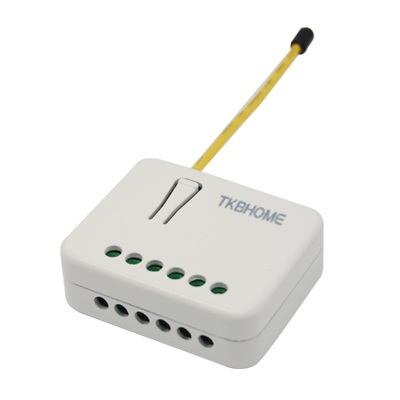
From to description 2 2 all on active all off is not active 1 1 all on is not active all off active 255 255 all on active, all off active 0 0 all on is not active, all off is not active 78 forced shutter dc calibration by changing the value of this parameter from 0 to 1, the shutter enters the calibration mode. for further information about the calibration process, please see section 9. 0 1 0 0 0 from to description 0 0 default value 1 1 start calibration process (when calibration process is finished, completing full cycle up, down and up, set the parameter 78 (forced shutter calibration) value back to 0 120 temperature sensor reporting if an external digital temperature sensor (sold separately) is connected to the module, it reports temperature readings based on the threshold defined in this parameter. this parameter only applies to the degrees temperature unit (the fahrenheit unit is currently not supported). 0 1 0 0 5 from to description 5 5 = 0,5 degrees celsius 1 127 = 0,1 degrees celsius 12,7 degrees celsius, step is 0,1 degrees celsius 42 power reporting in watts by time interval for q1 or q2 the set value refers to the time interval with which the power consumption in watts is reported (0 – 32767 seconds). if 0 is entered (by default), energy consumption reports will not be sent to the controller. 0 2 0 0 0 from to description 0 0 reporting disabled 1 32767 = 1 second 32767 seconds. reporting enabled, power report is send with 71 operating modes choose between the two operating modes. if the venetian mode is selected, an additional widget/endpoint will be displayed on the ui interface, which can be used to control the tilt position of the slats. if the shutter mode is selected, this additional endpoint is hidden. note1: after the value of this parameter is changed, first exclude module (without setting parameters to their default values), wait at least 30s and then reinclude the module! 0 1 0 0 0 from to description 0 0 shutter mode 1 1 venetian mode (up/down and slate rotation) 72 slats tilting full turn time set the time, required by the slats, to make a full turn (180 degrees). note: if the set time is too long and a full turn was already performed, the device will start to move up or down for the remaining time. 0 2 0 0 150 from to description 0 0 tilting time disabled 1 32767 = 0,01seconds 327,67 seconds 150 150 = 1,5 seconds 73 slats position choose the position of the slats after up/down movement (activated through the z wave controller or the push buttons) is completed. 0 1 0 0 1 from to description 1 1 slats return to previously set position in case of z wave control, push button operation or when the lower limit switch is reached 0 0 slats return to previously set position only in case of z wave control (not valid for limit switch positions) 85 power consumption max delay time define the maximum time before the power consumption of the motor, after one of the relays is switched on, is read from the device. if there is no power consumption during the set time (motor not connected, damaged or requires longer time to start, motor at the end position), the relay will switch off. this time is defined by entering it manually. 0 1 0 0 8 from to description 8 8 = 800ms 3 50 = 0,3seconds 5seconds (100ms resolution) 86 power consumption at limit switch delay time this parameter defines the maximum time after which the active output will switch off, due to reaching a limit switch. when power consumption is below the specified power threshold, defined in the parameter no. 76, the set time duration will have to pass in order for the output to turn off. 0 1 0 0 8 from to description 3 50 = 0,3seconds 5seconds (100ms resolution) 8 8 8 = 800ms 110 temperature sensor offset settings set value is added to or subtracted from the actually measured value to adjust the temperature report sent by an external sensor (sold separately). this parameter only applies to the degrees temperature unit (the fahrenheit unit is currently not supported). 0 2 0 0 32536 from to description 32536 32536 offset is 0.0 c 1 100 value from 0.1 degrees celsius to 10.0 degrees celsius is added to actual measured temperature. 1001 1100 value from 0.1 degrees celsius to 10.0 degrees celsius is subtracted to actual measured temperature. 76 motor operation detection define the power consumption threshold at the end positions. based on this value, the device will know, that the shutters reached the limit switches. 0 1 0 0 6 from to description 6 6 = 0,6 w 5 100 = (0,5 w 10 w), step is 0,1 w. 250 unsecure / secure inclusion a flush shutter dc supports secure and unsecure inclusion. even if the controller does not support security command classes, a dimmer could be included as unsecure and keep all the functionality. in case of an overload, the device will send an overload notification(command class notification v5) towards the controller with the "notification type" field set to 0x08 (power management) and the "event" field set to 0x08 ("over load detected"). 0 1 0 0 0 from to description 0 0 unsecure inclusion 1 1 secure inclusion 74 motor moving up/down time this parameter defines the time, required by the shutter dc motor, to completely open or completely close the attached shutters. after the set time passes, the motor stops (relay goes to the off state). note: it is important that the reference position, for setting the moving time, is always when the shutter is at its lowest position! set parameter 74 to 0 and move the shutter (using the up/down push buttons or the main controller ui) to the lowest desired position. when the shutter reaches this position, set the parameter 74 to the duration, required by the shutter, to completely open or completely close the attached shutters. at this point the shutter can be moved up (open), but can't be moved down, because this position is already set as its lowest position. to change the defined lowest position of the shutter below the one, which is already defined (manual recalibration), the parameter 74 must be set to 0 and the procedure, which is described above, should be repeated. in case the shutter operates using limit switches, but the user still wants to control the opening/closing position with time, this is still possible. if a time duration, which is longer than the opening/closing time of the shutters in real time (limited by the limit switches), is set, the shutter will stop at the limit switches, but the module relay will switch it off after a defined time, not by the limit switch of the shutter. take into consideration that in this condition, positioning the shutters with the slider (through the ui) will not display the correct position of the shutter. 0 2 0 0 0 from to description 0 0 moving time disabled (working with limit switches) 1 32767 = 0,1seconds 3276,7seconds. after that time motor is stopped (relay goes to off state) textsID Description Value 2