✅ Future-proofBuilt to keep working — even if the maker walks away.
It works locally over Z-Wave, so it keeps running even if FIBARO shuts down the app or the servers. Nothing here ties you to a single company's survival.
Works locally over Z-Wave — keeps running without the maker's cloud
Still in production
Based on how this device connects (local vs. cloud), whether it’s still sold and supported, and its app / subscription. A guide, not a guarantee.
Connectivity
Z-Wave
Prices
No prices yet — be the first to add one.
Community tags
Be the first to tag this page — tags appear right away. Try a theme, capability, or subject (e.g. WWII, heist, slow burn, time travel, A24).
Community photos
Photos from members
No member photos yet.
Reviews
What members say
Sign in to rate Roller Shutter 3 and share a photo.
No reviews yet.
Community
Be the first to start a thread about Roller Shutter 3
Threads post into the FIBARO community forum.
Sign in to start a thread in the FIBARO community.
Edit history
Loading edit history…
Certified
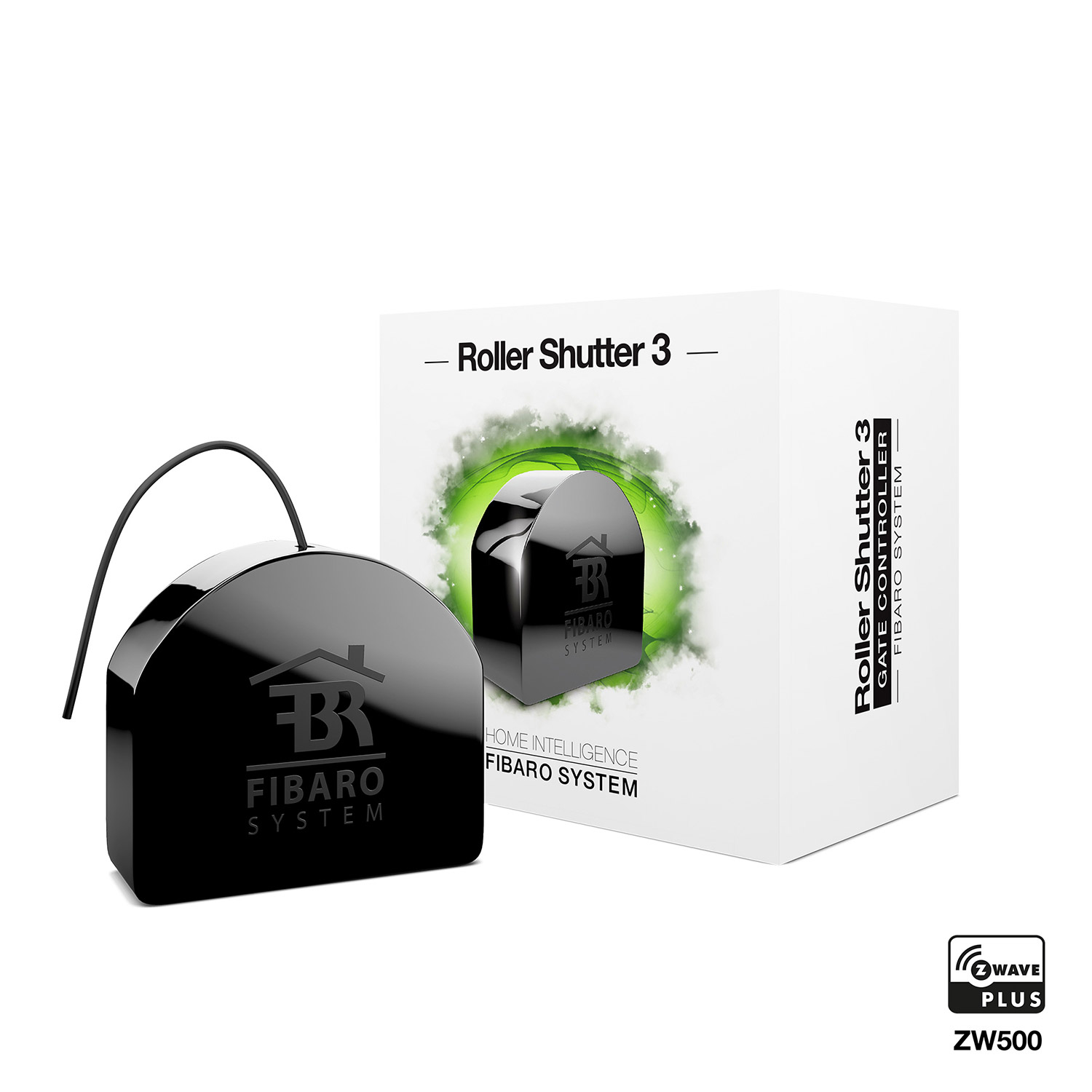
FIBARO Roller Shutter 3 is a device designed to control roller blinds, awnings, venetian blinds, gates and other single phase, AC powered devices. Roller Shutter 3 allows precise positioning of roller blinds or venetian blind lamellas. The device is equipped with power and energy monitoring. It allows to control connected devices either via the Z-Wave network or via a switch connected directly to it. Main features of FIBARO Roller Shutter 3: - Compatible with any Z-Wave or Z-Wave Plus Controller, - Supports Z-Wave network Security Modes: S0 with AES-128 encryption and S2 with PRNG-based encryption, - To be installed with roller blind motors with electronic or mechanical limit switches, - Advanced microprocessor control, - Active power and energy metering functionality, - Works with various types of switches – momentary, toggle and dedicated roller blind switches, - To be installed in wall switch boxes, - Works as a Z-Wave signal repeater.
Want to buy adds it to your wish list and follows FIBARO for updates. I own it adds it to your collection.
FIBARO Roller Shutter 3 is a device designed to control roller blinds, awnings, venetian blinds, gates and other single phase, AC powered devices. Roller Shutter 3 allows precise positioning of roller blinds or venetian blind lamellas. The device is equipped with power and energy monitoring. It allows to control connected devices either via the Z-Wave network or via a switch connected directly to it. Main features of FIBARO Roller Shutter 3: - Compatible with any Z-Wave or Z-Wave Plus Controller, - Supports Z-Wave network Security Modes: S0 with AES-128 encryption and S2 with PRNG-based encryption, - To be installed with roller blind motors with electronic or mechanical limit switches, - Advanced microprocessor control, - Active power and energy metering functionality, - Works with various types of switches – momentary, toggle and dedicated roller blind switches, - To be installed in wall switch boxes, - Works as a Z-Wave signal repeater.
Hardware platform
ZM5101
Short description
FIBARO Roller Shutter 3 is a device designed to control roller blinds, awnings, venetian blinds, gates and other single phase, AC powered devices.
Product identifier
FGR-223
Countries / regions
Australia
Supports smart start
Yes
Certification number
ZC10-19096744
Radio range z wave (m)
40
Configuration parameters
Parameter Number Name Description Format Size Min Value Max Value Default Value Parameter Values 24
Supports explorer frames
Yes
Supported command classes
Identifier Name Key Version COMMAND_CLASS_FIRMWARE_UPDATE_MD_V4
Controlled command classes
Identifier Name Key Version COMMAND_CLASS_NOTIFICATION_V8
Supported multilevel sensors
Multilevel Sensor Type Power
Supported notification types
Notification Type Event / State Power Management
Supported / controlled meter types
Meter Type Rate Type Description Electric meter
Value black electric load type value inductive (e.g. motor) loads controlled value 2 sensors value power supported meter type value electric energy supported notification types value power management system window covering control features value supports curtains supports vertical blinds supports horizontal blinds/louvers supports up/down motion association groups
Group Number Maximum Nodes Supported End Point ID Group Name Profile Description 1
From to description 0 0 default (s1 1st channel, s2 2nd channel) 1 1 reversed (s1 2nd channel, s2 1st channel) 25 outputs orientation this parameter allows reversing the operation of q1 and q2 without changing the wiring (in case of invalid motor connection) to ensure proper operation. 0 1 0 0 0 from to description 0 0 default (q1 1st channel, q2 2nd channel) 1 1 reversed (q1 2nd channel, q2 1st channel) 31 alarm configuration 2nd slot (water) this parameter determines to which alarm frames and how the device should react. the parameters consist of 4 bytes, three most significant bytes are set according to the official z wave protocol specification. 0 4 0 0 0 from to description 1 1 notification type 2 2 notification status 3 3 event/state parameters 4 4 action: 0 no action, 1 open blinds, 2 close blinds 41 s2 switch scenes sent this parameter determines which actions result in sending scene ids assigned to them. note: parameter 41 values may be combined, e.g. 1+2=3 means that scenes for single and double click are sent. 0 1 0 0 0 from to description 1 1 key pressed 1 time 2 2 key pressed 2 times 4 4 key pressed 3 times 8 8 key hold down and key released 60 measuring power consumed by the device itself this parameter determines whether the power metering should include the amount of active power consumed by the device itself. 0 1 0 0 0 from to description 0 0 function inactive 1 1 function active 65 energy reports on change this parameter determines the minimum change in consumed energy that will result in sending new energy report to the main controller. 0 2 0 0 10 from to description 0 0 reports are disabled 1 500 change in energy 150 force calibration by setting this parameter to 2 the device enters the calibration mode. the parameter relevant only if the device is set to work in positioning mode (parameter 151 set to 1, 2 or 4). 0 1 0 0 0 from to description 0 0 device is not calibrated 1 1 device is calibrated 2 2 force device calibration 151 operating mode this parameter allows adjusting operation according to the connected device. 0 1 0 0 1 from to description 1 1 roller blind (with positioning) 2 2 venetian blind (with positioning) 3 3 gate (without positioning) 4 4 gate (with positioning) 5 5 roller blind with built in driver 6 6 roller blind with built in driver (impulse) 152 venetian blind time of full turn of the slats for venetian blinds (parameter 151 set to 2) the parameter determines time of full turn cycle of the slats. for gates (parameter 151 set to 3 or 4) the parameter determines time after which open gate will start closing automatically (if set to 0, gate will not close). the parameter is irrelevant for other modes. 0 4 0 0 150 from to description 0 965535 time of turn 153 set slats back to previous position for venetian blinds (parameter 151 set to 2) the parameter determines slats positioning in various situations. the parameter is irrelevant for other modes. note: if parameter 20 is set to 1 (toggle switch), change value of parameter 153 to 0 for slats to work properly. 0 1 0 0 1 from to description 0 0 slats return to previously set position only in case of the main controller operation. 1 1 slats return to previously set position in case of the main controller operation, momentary switch operation, or when the limit switch is reached. 2 2 slats return to previously set position in case of the main controller operation, momentary switch operation, when the limit switch is reached or after receiving the switch multilevel stop control frame 154 delay motor stop after reaching end switch for blinds (parameter 151 set to 1, 2, 5 or 6) the parameter determines the time after which the motor will be stopped after end switch contacts are closed. for gates (parameter 151 set to 3 or 4) the parameter determines time after which the gate will start closing automatically if s2 contacts are opened (if set to 0, gate will not close). 0 2 0 0 10 from to description 0 255 time 155 motor operation detection power threshold to be interpreted as reaching a limit switch. 0 2 0 0 10 from to description 0 0 reaching a limit switch will not be detected 1 255 report interval 156 time of up movement this parameter determines the time needed for roller blinds to reach the top. for modes with positioning value is set automatically during calibration, otherwise it must be set manually. 0 4 0 0 6000 from to description 1 65535 (0.01 655.35s, every 0.01s) movement time 157 time of down movement this parameter determines time needed for roller blinds to reach the bottom. for modes with positioning value is set automatically during calibration, otherwise it must be set manually. 0 4 0 0 6000 from to description 1 65535 (0.01 655.35s, every 0.01s) movement time texts