✅ Future-proofBuilt to keep working — even if the maker walks away.
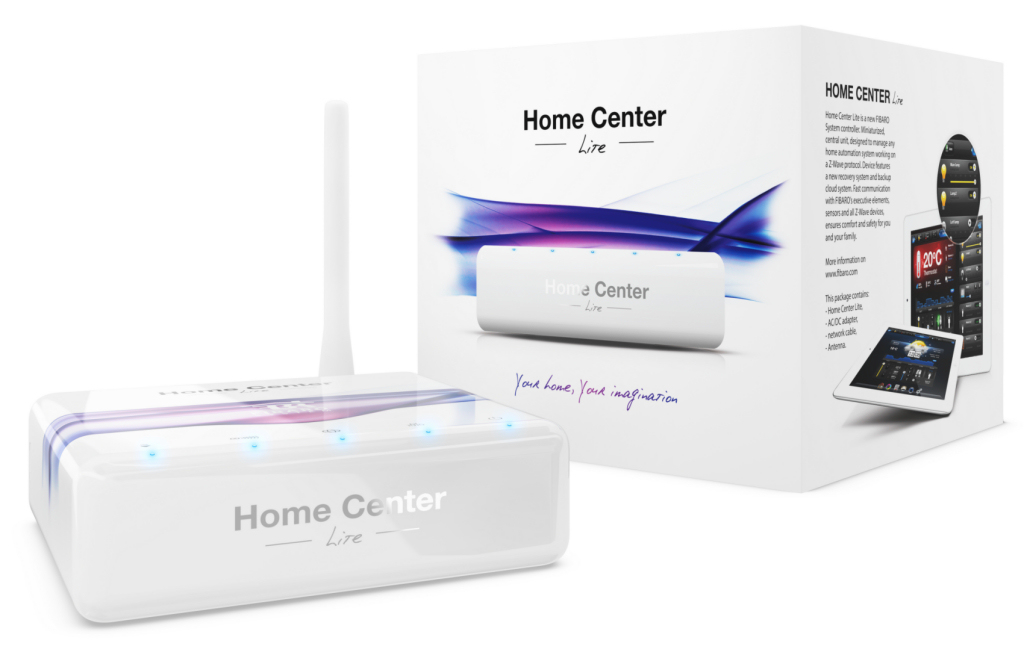
It works locally over Z-Wave, so it keeps running even if FIBARO shuts down the app or the servers. Nothing here ties you to a single company's survival.
Works locally over Z-Wave — keeps running without the maker's cloud
Still in production
Based on how this device connects (local vs. cloud), whether it’s still sold and supported, and its app / subscription. A guide, not a guarantee.
Connectivity
Z-Wave
Prices
No prices yet — be the first to add one.
Community tags
Be the first to tag this page — tags appear right away. Try a theme, capability, or subject (e.g. WWII, heist, slow burn, time travel, A24).
Sign in to start a thread in the FIBARO community.
Edit history
Loading edit history…
Certified
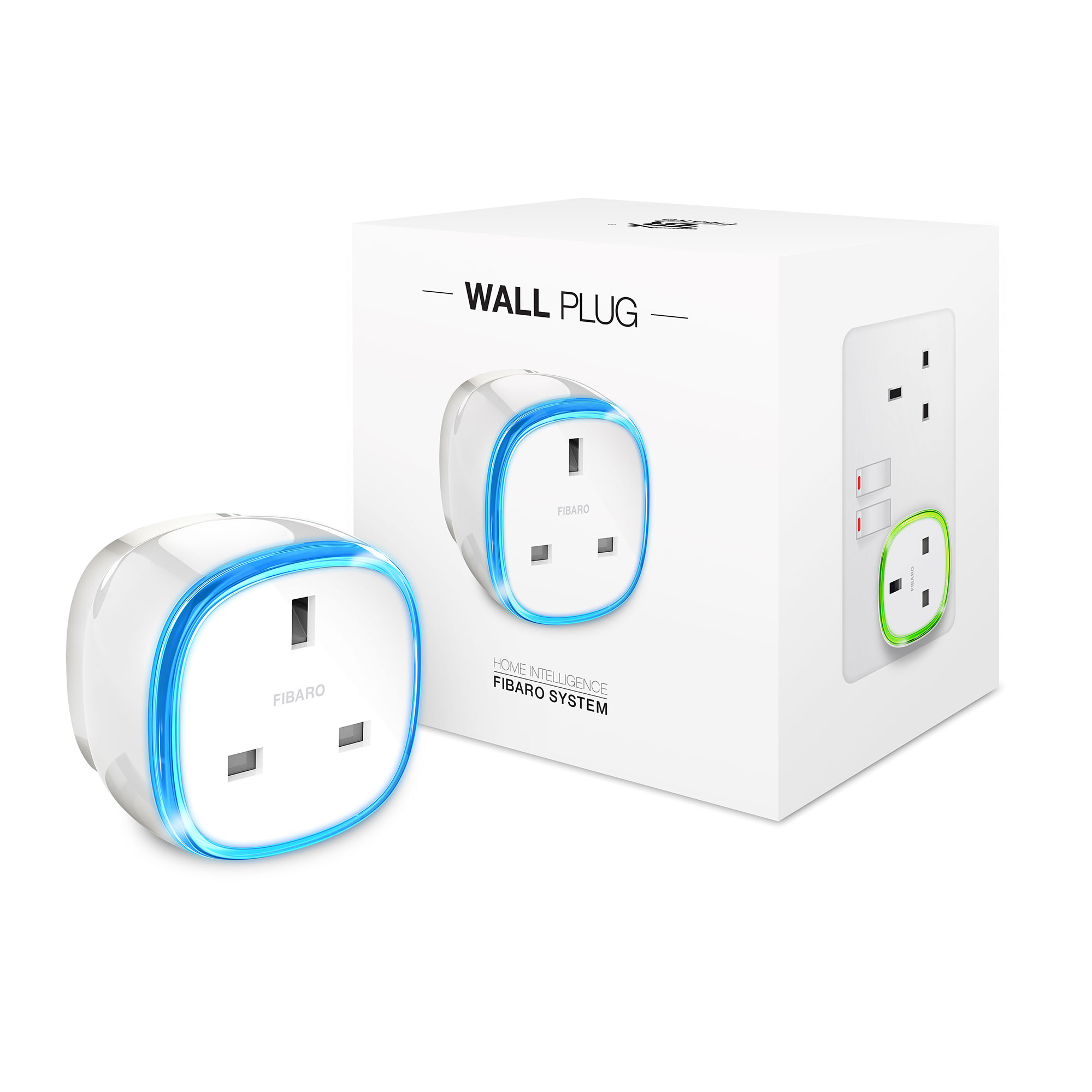
FIBARO Wall Plug is a remotely controlled plug-in switch with the ability to measure power and energy consumption. It uses a LED frame to visualize the current load and operating mode with color changing illumination. FIBARO Wall Plug makes it possible to control electrical devices in a convenient and maintenance-free way. Main features of FIBARO Wall Plug: - Compatible with any Z-Wave or Z-Wave+ Controller. - Supports Z-Wave network Security Modes: S0 with AES-128 encryption and S2 with PRNG-based encryption. - Extremely easy installation - simply plug the device into the mains socket. - Works as a Z-Wave signal repeater. - Active power and energy consumption metering for plugged device. - Current value of the load and operating mode are indicated by the multi-color LED frame.
Want to buy adds it to your wish list and follows FIBARO for updates. I own it adds it to your collection.
FIBARO Wall Plug is a remotely controlled plug-in switch with the ability to measure power and energy consumption. It uses a LED frame to visualize the current load and operating mode with color changing illumination. FIBARO Wall Plug makes it possible to control electrical devices in a convenient and maintenance-free way. Main features of FIBARO Wall Plug: - Compatible with any Z-Wave or Z-Wave Plus Controller. - Supports Z-Wave network Security Modes: S0 with AES-128 encryption and S2 with PRNG-based encryption. - Extremely easy installation - simply plug the device into the mains socket. - Works as a Z-Wave signal repeater. - Active power and energy consumption metering for plugged device. - Current value of the load and operating mode are indicated by the multi-color LED frame.
Hardware platform
ZM5101
Short description
FIBARO Wall Plug is a Z-Wave controlled plug-in switch with the ability to measure power and energy consumption.
Product identifier
FGWPG-111
Countries / regions
European Union
Certification number
ZC10-19086702
Radio range z wave (m)
40
Configuration parameters
Parameter Number Name Description Format Size Min Value Max Value Default Value Parameter Values 24
Supports explorer frames
Yes
Supported command classes
Identifier Name Key Version COMMAND_CLASS_FIRMWARE_UPDATE_MD_V4
Controlled command classes
Identifier Name Key Version COMMAND_CLASS_BASIC
Supported multilevel sensors
Multilevel Sensor Type Power
Supported notification types
Notification Type Event / State Power Management
Supported / controlled meter types
Meter Type Rate Type Description Electric meter
Value white electric load type value incandescent inductive (e.g. motor) firmware updatable value updatable by consumer by rf loads controlled value 3 sensors value power supported meter type value electric energy supported notification types value power management system switch load capacity current value 13 a for resistive loads, 8 a for incandescent loads and 13 a for inductive general purpose. switch load capacity volt ampere value 700 association groups
Group Number Maximum Nodes Supported End Point ID Description 1
From to description 0 0 turning off associated devices 1 99 forcing level of associated devices 255 255 setting associated devices to the last remembered state or turning them on 25 switch off value „on/off (button)” association group (2) the value of basic set command frame sent to the devices associated in 2nd group „on/off (button)” when turning the device off using the button. 0 2 0 0 0 from to description 0 0 turning off associated devices 1 99 forcing level of associated devices 255 255 setting associated devices to the last remembered state or turning them on 41 led frame color when controlled device is on when set to 1 or 2, led frame color will change depending on active power and parameter 40. other colors are set permanently and do not depend on power consumption. 0 1 0 0 1 from to description 0 0 illumination turned off completely 1 1 color changes smoothly depending on active power 2 2 color changes in steps depending on active power 3 3 white 4 4 red 5 5 green 6 6 blue 7 7 yellow 8 8 cyan 9 9 magenta 42 led frame color when controlled device is off this parameter defines the illumination color after turning off. 0 1 0 0 0 from to description 0 0 illumination turned off completely 1 1 led frame is illuminated with a color corresponding to the last measured power, before the controlled device was turned off 3 3 white 4 4 red 5 5 green 6 6 blue 7 7 yellow 8 8 cyan 9 9 magenta 43 led frame color at the z wave network alarm detection this parameter defines the illumination color in case of z wave alarm. 0 1 0 0 2 from to description 0 0 illumination turned off completely 1 1 no change in color. led frame color is determined by settings of parameters 41 or 42 2 2 led frame flashes red/blue/white 3 3 white 4 4 red 5 5 green 6 6 blue 7 7 yellow 8 8 cyan 9 9 magenta 2 remember device status before the power failure this parameter determines how the wall plug will react in the event of power supply failure (e.g. power outage or taking out from the electrical outlet). after the power supply is back on, the wall plug can be restored to previous state or remain switched off. 0 1 0 0 1 from to description 1 1 device restores the state from before the power failure 0 0 device remains switched off 31 response to alarm frames this parameter defines how the wall plug will respond to alarms (device’s status change). in case of values 1 or 2 the wall plug is operating normally and led frame signals an alarm through time defined in parameter 32 or until the alarm is canceled. in case of values 5 to 50 the wall plug does not report status change, power changes, ignores basic set command frames. after time defined in parameter 32 or after the alarm cancellation, connected device is set to the previous state. 0 1 0 0 0 from to description 0 0 no reaction 1 1 turn connected device on 2 2 turn connected device off 5 50 (0.5 5.0s, step 0.1s) cyclically change device state with set period 3 overload safety switch this function allows to turn off the controlled device in case of exceeding the defined power. controlled device can be turned back on via button or sending a control frame. by default this function is inactive. 0 2 0 0 0 from to description 0 0 function inactive 10 30000 1.0 3000.0 w, step 0.1 w) power threshold 23 controlling „on/off (power)” association group (3) this parameter defines the way that 3rd association group devices are controlled. depends on the actual measured power (according to parameters 21 and 22 settings). 0 1 0 0 3 from to description 1 1 send frame (with value set in parameter 26) only if power exceeded value of parameter 21 2 2 send frame (with value set in parameter 27) only if power dropped below value of parameter 22 3 3 send frame in both cases texts