✅ Future-proofBuilt to keep working — even if the maker walks away.
It works locally over Z-Wave, so it keeps running even if HomeSeer shuts down the app or the servers. Nothing here ties you to a single company's survival.
Works locally over Z-Wave — keeps running without the maker's cloud
Still in production
Based on how this device connects (local vs. cloud), whether it’s still sold and supported, and its app / subscription. A guide, not a guarantee.
Connectivity
Z-Wave
Prices
No prices yet — be the first to add one.
Community tags
Be the first to tag this page — tags appear right away. Try a theme, capability, or subject (e.g. WWII, heist, slow burn, time travel, A24).
Community photos
Photos from members
No member photos yet.
Reviews
What members say
Sign in to rate Z-Wave Wall Switch with RGB LED and share a photo.
No reviews yet.
Community
Be the first to start a thread about Z-Wave Wall Switch with RGB LED
Threads post into the HomeSeer community forum.
Sign in to start a thread in the HomeSeer community.
Edit history
Loading edit history…
Certified
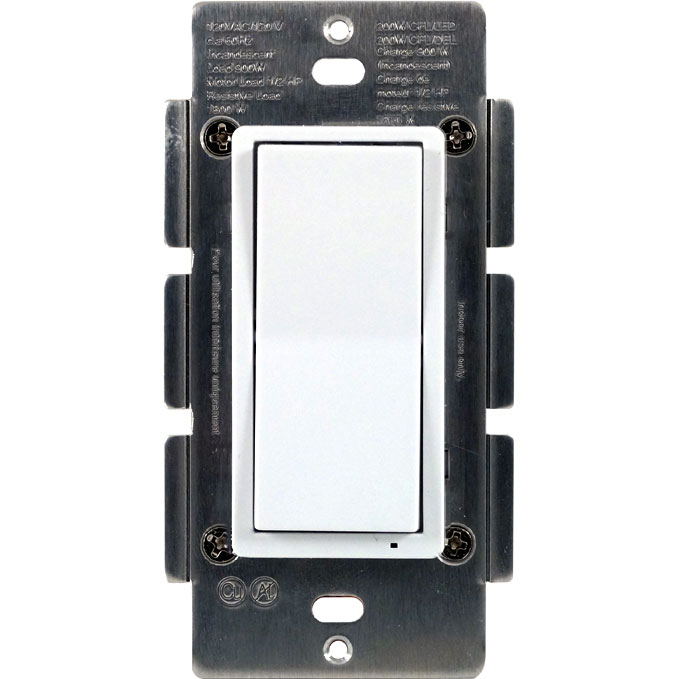
HS-WS200+ In Wall On/Off Switch - Works with incandescent, florescent (CFL), or most LED lighting and appliances - ON/OFF status and location LED indicator - Includes Z-Wave controllable RGB LED indicator - Fits into standard single or multiple gang junction box - Keypad can be replaced manually to match color with other wall switches - Over-The-Air firmware upgrade available with compatible gateway, Z-Wave static controller, or PC and software. - Internal resettable fuse to protect from surge current - Manual reset capability - Support Central Scene
Want to buy adds it to your wish list and follows HomeSeer for updates. I own it adds it to your collection.
HS-WS200+ In Wall On/Off Switch - Works with incandescent, florescent (CFL), or most LED lighting and appliances - ON/OFF status and location LED indicator - Includes Z-Wave controllable RGB LED indicator - Fits into standard single or multiple gang junction box - Keypad can be replaced manually to match color with other wall switches - Over-The-Air firmware upgrade available with compatible gateway, Z-Wave static controller, or PC and software. - Internal resettable fuse to protect from surge current - Manual reset capability - Support Central Scene
Hardware platform
ZM5202
Short description
HS-WS200+ In Wall On/Off Switch - Replaces existing wall switch - Remotely or manually turns On or Off lights - Z-Wave Plus certified with 500 series chipset - Support Central Scene - Includes Z-Wave controllable RGB LED indicator - Fits standard wall plates
Product identifier
HS-WS200+
Countries / regions
United States of America
Certification number
ZC10-18026018
Configuration parameters
Parameter Number Name Description Format Size Min Value Max Value Default Value Parameter Values 3
Supports explorer frames
Yes
Supported command classes
Identifier Name Key Version COMMAND_CLASS_FIRMWARE_UPDATE_MD_V4
Controlled command classes
Identifier Name Key Version COMMAND_CLASS_CENTRAL_SCENE_V3
Value white z wave scene type value scene & central scene firmware updatable value updatable by consumer by rf switch load capacity current value 15 amps switch load capacity watts value 900 watts incandescent electric load type value incandescent fluorescent mlv (magnetic) elv (electronic) led inductive (e.g. motor) association groups
Group Number Maximum Nodes Supported End Point ID Description 1
From to description 1 1 the led indicator will be off when the connected appliance is off, and the led indicator will be on when the connected appliance is on 2 2 the led indicator will be always off regardless of the load status 0 0 the led indicator will be off when the connected appliance is on, and the led indicator will be on when the connected appliance is off 4 orientation of the on/off on the rocker switch can be inverted the orientation of the on/off on the rocker switch can be inverted by changing the following configuration with a controller(if supported) 0 1 0 0 0 from to description 1 1 the connected light will turn off by pressing the top side of the rocker switch and turn on by pressing the bottom side. 0 0 the connected light will turn on by pressing the top side of the rocker switch and turn off by pressing the bottom side. 31 sets blink frequency of led in status mode this parameter sets the blink frequency of the led indicator in status mode. 0 1 0 0 0 from to description 0 0 no blink 1 255 1=100 ms texts