✅ Future-proofBuilt to keep working — even if the maker walks away.
It works locally over Z-Wave, so it keeps running even if Powerley shuts down the app or the servers. Nothing here ties you to a single company's survival.
Works locally over Z-Wave — keeps running without the maker's cloud
Still in production
Based on how this device connects (local vs. cloud), whether it’s still sold and supported, and its app / subscription. A guide, not a guarantee.
Connectivity
Z-Wave
Prices
No prices yet — be the first to add one.
Community tags
Be the first to tag this page — tags appear right away. Try a theme, capability, or subject (e.g. WWII, heist, slow burn, time travel, A24).
Sign in to start a thread in the Powerley community.
Edit history
Loading edit history…
Certified
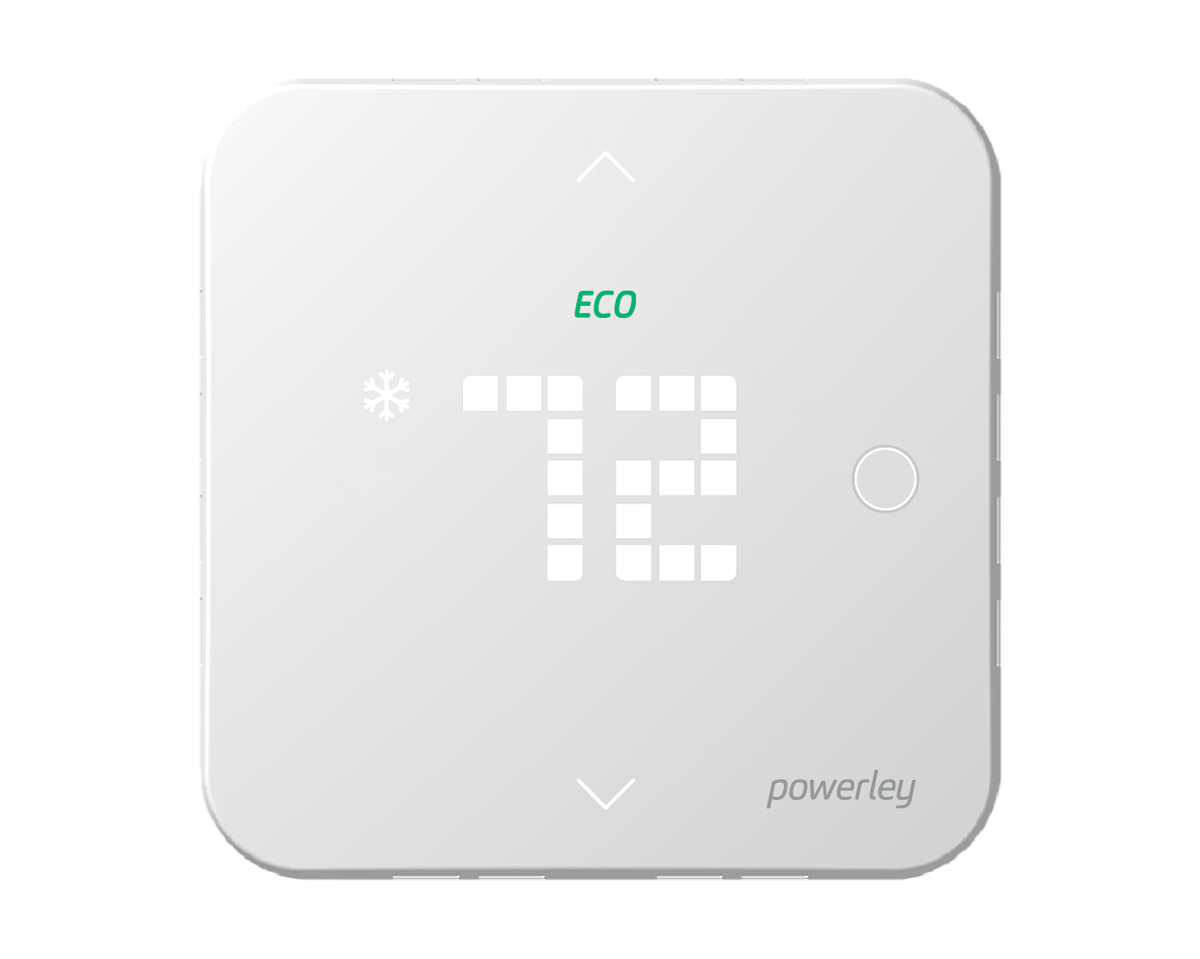
Residential energy usage is driven by the home's heating and cooling system, and Powerley provides the connectivity to understand usage of the home's HVAC and control remotely or automatically with the Powerley Thermostat. The Powerley Thermostat uses the Z-Wave protocol and can be seamlessly integrated into the connected home via the Powerley Energy Bridge to facilitate communication and control between the devices. The thermostat provides the user with the ability to remotely control home temperature and also allows Powerley to optimize the HVAC system's use balancing energy usage and comfort. The device also provides for the ability to facilitate Demand Response events, including allowing the consumer to choose whether or not to participate in the event via push notifications.
Want to buy adds it to your wish list and follows Powerley for updates. I own it adds it to your collection.
Residential energy usage is driven by the home's heating and cooling system, and Powerley provides the connectivity to understand usage of the home's HVAC and control remotely or automatically with the Powerley Thermostat. The Powerley Thermostat uses the Z-Wave protocol and can be seamlessly integrated into the connected home via the Powerley Energy Bridge to facilitate communication and control between the devices. The thermostat provides the user with the ability to remotely control home temperature and also allows Powerley to optimize the HVAC system's use balancing energy usage and comfort. The device also provides for the ability to facilitate Demand Response events, including allowing the consumer to choose whether or not to participate in the event via push notifications.
Hardware platform
ZM5202
Short description
The Powerley Thermostat can be seamlessly integrated into the connected home via the Powerley Energy Bridge. It provides the user with the ability to remotely control home temperature and also allows Powerley to optimize the HVAC system's use balancing energy usage and comfort.
Product identifier
PWLY-7828-A1
Countries / regions
United States of America
Certification number
ZC10-17065620
Configuration parameters
Parameter Number Name Description Format Size Min Value Max Value Default Value Parameter Values 3
Supports explorer frames
Yes
Supported command classes
Identifier Name Key Version COMMAND_CLASS_SENSOR_MULTILEVEL_V5
Supported multilevel sensors
Multilevel Sensor Type Humidity
Value aa communications protocol value z wave serial api firmware updatable value updatable by manufacturer sensors value humidity thermostat hvac systems supported value single stage multi stage heat pump thermostat power source value battery power stealing (hard wired 24 v) battery quantity value 4 color value white thermostat modes value heat cool energy save heat energy save cool association groups
Group Number Maximum Nodes Supported End Point ID Description 1
From to description 0 0 off 1 1 on 4 thermostat default settings this configuration setting controls factory reset of the physical device. 0 1 0 0 0 from to description 1 1 restore thermostat factory settings (minus z wave) 0 0 no change 5 temperature calibration your thermostat was accurately calibrated at the factory, however, you can change the display temperature to match that of a previous thermostat, or to match another thermostat already in your home. the range of change is from 5 f to 5 f. 0 1 0 0 0 from to description 0 5 0 5 f; 0 2.8 c 251 255 ( 5) ( 1)f; ( 1) ( 2.8)c 6 led dimming (if applicable) this configuration setting controls brightness of the led display in the thermostat. 0 1 0 0 3 from to description 0 0 low 1 1 medium 2 2 high 3 3 auto 7 demand response mode this configuration setting controls the led indicator light to signify the thermostat setpoint is part of a utility set demand response event. 0 1 0 0 0 from to description 1 1 on 0 0 off 8 swing setting this configuration setting allows the user to control at what setpoint variance the hvac system turns on at. the thermostat swing temperature is in units of 1 degrees fahrenheit. 0 1 0 0 1 from to description 0 10 0 10 f; 0 5.6 c 0 0 9 differential setting the differential is the number of degrees between the room temperature and the target temperature at which the 2nd stage will engage to bring the room temperature back to the target. the default is 3 f. the programmable range is 0 10 f. 0 1 0 0 3 from to description 0 10 0 10 f; 0 5.6 c 10 ota (over the air) programming error code this configuration setting gives feedback on the status of an ota programming update. 0 1 0 0 0 from to description 2 2 ota cancelled before completion 3 3 fragment crc error 4 4 total image crc error 5 5 external flash error 6 6 fragment received out of order 7 7 invalid firmware or manufacture id 8 8 ota session not properly initialized 9 9 same image currently running 10 10 time out during ota download between fragments 0 0 no error 1 1 battery low, reflashing not possible 2 hvac settings this configuration setting allows the user to set the hvac system type the thermostat is controlling. 0 1 0 0 1 from to description 3 3 heat pump w/ b wire 1 1 2 stage conventional 2 2 heat pump w/ o wire 0 0 1 stage conventional 4 4 heat pump w/ o wire & aux heating 5 5 heat pump w/ b wire & aux heating 1 display units this configuration setting controls the units of which the temperature is displayed in. 0 1 0 0 1 from to description 0 0 c 1 1 f 11 display always on this configuration setting allows a user to turn the always on display on or off. this functionality is dependent on a c wire connection. *note: this setting can be modified in battery powered applications but affects are only seen in c wire powered applications. 0 1 0 0 1 from to description 1 1 display on in c wire powered mode 0 0 display off in c wire powered mode texts