✅ Future-proofBuilt to keep working — even if the maker walks away.
It works locally over Z-Wave, so it keeps running even if Fibar Group S.A. shuts down the app or the servers. Nothing here ties you to a single company's survival.
Works locally over Z-Wave — keeps running without the maker's cloud
Still in production
Based on how this device connects (local vs. cloud), whether it’s still sold and supported, and its app / subscription. A guide, not a guarantee.
Connectivity
Z-Wave
Prices
No prices yet — be the first to add one.
Community tags
Be the first to tag this page — tags appear right away. Try a theme, capability, or subject (e.g. WWII, heist, slow burn, time travel, A24).
Community photos
Photos from members
No member photos yet.
Reviews
What members say
Sign in to rate WALLI CONTROLLER and share a photo.
No reviews yet.
Community
Be the first to start a thread about WALLI CONTROLLER
Threads post into the Fibar Group S.A. community forum.
Sign in to start a thread in the Fibar Group S.A. community.
Edit history
Loading edit history…
Certified
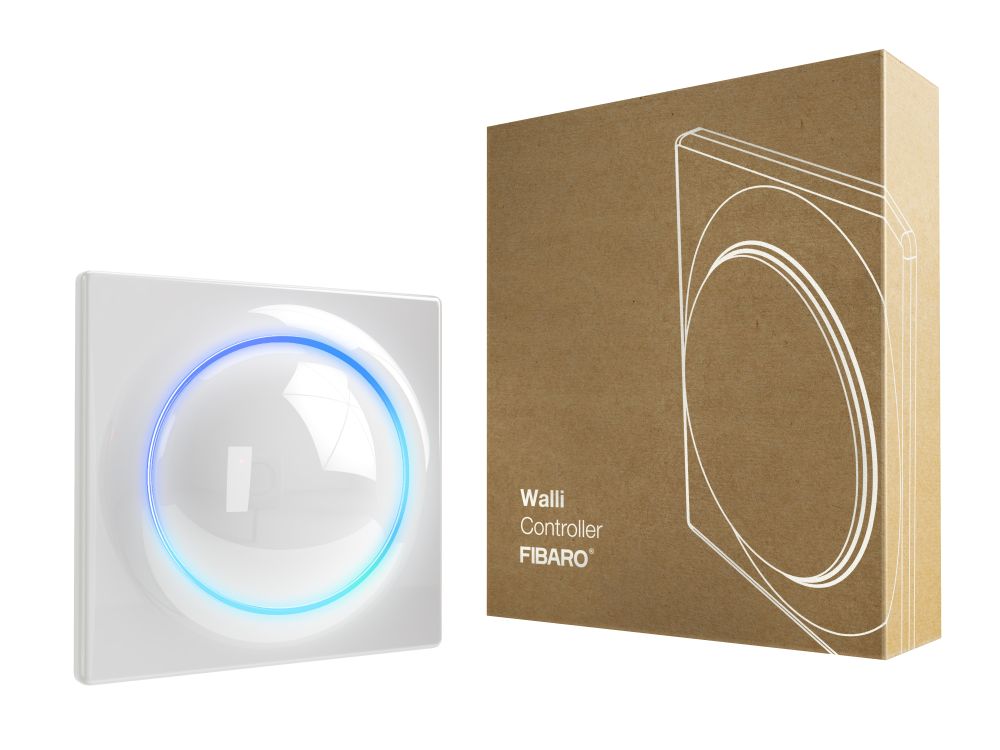
FIBARO Walli Controller is a smart wall-mounted Z-Wave remote controller that can activate scenes or control other Z-Wave devices via associations. Main features: • Can be used for controlling various types of Z-Wave devices, e.g. switches, dimmers, roller shutters. • Is a part of FIBARO Walli line of smart devices. • Pre-set configurations allow to easily adjust operation for specific type of controlled devices. • May be installed on a smooth surface or on a mounting box. • Can be powered using battery or VDC power supply. • Is equipped with a built-in temperature sensor. • Supports Z-Wave network Security Modes: S0 with AES-128 encryption and S2 Authenticated with PRNG-based encryption. • Works as a Z-Wave signal repeater when VDC powered.
Want to buy adds it to your wish list and follows Fibar Group S.A. for updates. I own it adds it to your collection.
FIBARO Walli Controller is a smart wall-mounted Z-Wave remote controller that can activate scenes or control other Z-Wave devices via associations. Main features: • Can be used for controlling various types of Z-Wave devices, e.g. switches, dimmers, roller shutters. • Is a part of FIBARO Walli line of smart devices. • Pre-set configurations allow to easily adjust operation for specific type of controlled devices. • May be installed on a smooth surface or on a mounting box. • Can be powered using battery or VDC power supply. • Is equipped with a built-in temperature sensor. • Supports Z-Wave network Security Modes: S0 with AES-128 encryption and S2 Authenticated with PRNG-based encryption. • Works as a Z-Wave signal repeater when VDC powered.
Hardware platform
ZGM130
Short description
FIBARO Walli Controller is a smart wall-mounted Z-Wave remote controller that can activate scenes or control other Z-Wave devices via associations.
Product identifier
FGWCEU-201
Countries / regions
European Union
Supports smart start
Yes
Certification number
ZC12-20060078
Radio range z wave (m)
40
Configuration parameters
Parameter Number Name Description Format Flag Advanced Size Min Value Max Value Default Value Parameter Values 150
Supports explorer frames
Yes
Supported command classes
Identifier Name Key Version COMMAND_CLASS_CONFIGURATION_V4
Supported multilevel sensors
Multilevel Sensor Type Air temperature
Value er14250 color value white firmware updatable value updatable by consumer by rf z wave scene type value central scene battery quantity value 1 association groups
Group Number Maximum Nodes Supported End Point ID Group Name Description 6
From to description 0 0 led disabled 1 1 white 2 2 red 3 3 green 4 4 blue 5 5 yellow 6 6 cyan 7 7 magenta 8 8 lapd (blinking red white blue) 151 led ring – second button this parameter defines the colour of second button indicator (lower part of the led ring) for indications using indicator cc. 2 yes 2 0 8 1 from to description 1 1 white 2 2 red 3 3 green 4 4 blue 5 5 yellow 6 6 cyan 7 7 magenta 0 0 led disabled 8 8 lapd (blinking red white blue) 152 1st button double click value this parameter defines value of basic set or multilevel set frame (depending on selected mode) sent to associated devices after double click. this parameter is not relevant for scene controller mode. 2 2 0 255 99 from to description 0 99 value of basic set 255 255 multilevel set frame 153 2nd button double click value this parameter defines value of basic set or multilevel set frame (depending on selected mode) sent to associated devices after double click. this parameter is not relevant for scene controller mode. 2 yes 2 0 255 99 from to description 0 99 value of basic set 255 255 multilevel set frame texts