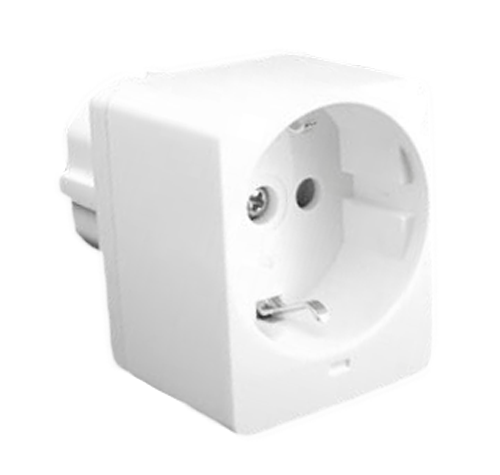
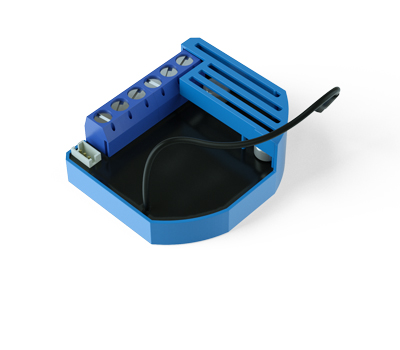
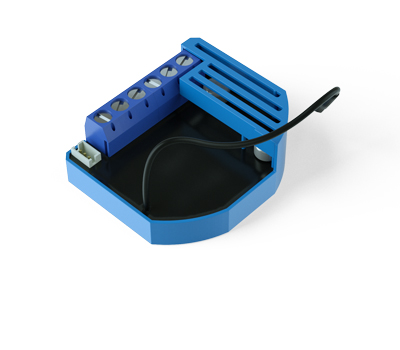
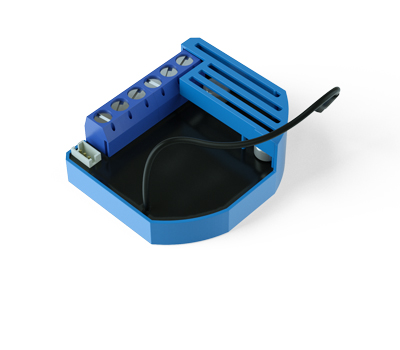
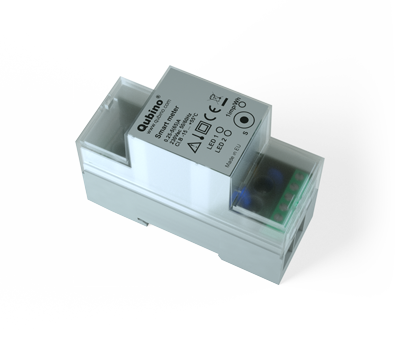
Long descriptionThe Smart Plug 16A controls on/off function for the connected device. It also measures power consumption of the connected device according to the principle of fast sampling of voltage and current signals. A built-in microprocessor calculates energy and power from the measured signals. From to description 0 0 auto off disabled 1 32535 1 32535 seconds. auto off timer enabled for a given number of seconds. 51 parameter no. 51 – up value upper power threshold used in parameter no. 52 values (size is 2 byte dec): • default value 50 = 50 w • 0 – 4000 = 0 w – 4000 w up value cannot be lower or equal to the value specified in the parameter no. 50. if the set value is lower or equal to the value in parameter 50, the set command is ignored. note: if parameter no. 51 value is 200 w. if measured power is higher than 200 w the association is sent. power threshold step is 1 w. 0 2 0 0 50 from to description 0 4000 0 w – 4000 w power threshold 74 parameter no. 74 – enable/disable led this function allows enabling or disabling the smart plug led. in case the user doesn’t want the led indicator he can turn it off with this parameter. note: if an overload or overcurrent occurs the red led will still turn on regardless of the value set in this parameter. values (size is 1 byte dec): • default value 1 • 0 – led is disabled • 1 – led is enabled 0 1 0 0 1 from to description 0 0 led is disabled 1 0 led is enabled 70 parameter no. 70 overload safety switch the function allows for turning off the controlled device in case of exceeding the defined power for more than 3 seconds. controlled device can be turned back on by s button or sending a control frame. by default this function is inactive. values (size is 2 byte dec): • default value 0 • 1 – 4000 = 1 w – 4000 w • 0 = function not active note: this functionality is not an overload safety protection, please check installation note for details. in case of overload the following message will be send towards the controller: • command class notification v5 • the alarm v1 type field set to 0x00 • notification type 0x08 and 0x08 (overload detected) note: regardless of the value set in this parameter the overcurrent protection is always active and can not be disabled. 0 2 0 0 0 from to description 0 0 function not active 1 4000 1 w – 4000 w 71 parameter no. 71 – power threshold this functions allows setting the power threshold for triggering the program started notification. when the threshold will be reached the notification will let the user know that the device connected to the smart plug started working. values (size is 2 byte dec): • default value 0 • 1 – 4000 = 1 w – 4000 w • 0 = function not active when the threshold is reached the following message will be send towards the controller: • command class notification v5 • the alarm v1 type field set to 0x00 • notification type 0x0 c and 0x01 (program started) 0 2 0 0 0 from to description 0 0 function not active 1 4000 1 w – 4000 w 52 parameter no. 52 action in case of exceeding defined power values (parameters 50 and 51) parameter defines the way 3rd association group devices are controlled, depending on the current power load values (size is 1 byte dec): • default value 6 • 0 – function inactive • 1 – turn the associated devices on, once the power drops below down value (parameter no. 50) • 2 – turn the associated devices off, once the power drops below down value (parameter no. 50) • 3 – turn the associated devices on, once the power rises above up value (parameter no. 51) • 4 – turn the associated devices off, once the power rises above up value (parameter no. 51) • 5 – 1 and 4 combined. turn the associated devices on, once the power drops below down value (parameter no. 50). turn the associated devices off, once the power rises above up value (parameter no. 51). • 6 – 2 and 3 combined. turn the associated devices off, once the power drops below down value (parameter 50). turn the associated devices on, once the power rises above up value (parameter no. 51). 0 1 0 0 6 from to description 0 0 function inactive 1 0 turn the associated devices on, once the power drops below down value (parameter no. 50) 2 0 turn the associated devices off, once the power drops below down value (parameter no. 50) 3 0 turn the associated devices on, once the power rises above up value (parameter no. 51) 4 0 turn the associated devices off, once the power rises above up value (parameter no. 51) 5 0 1 and 4 combined. turn the associated devices on, once the power drops below down value (parameter no. 50). turn the associated devices off, once the power rises above up value (parameter no. 51). 6 0 2 and 3 combined. turn the associated devices off, once the power drops below down value (parameter 50). turn the associated devices on, once the power rises above up value (parameter no. 51). 72 parameter no. 72 – time interval this function allows setting the time interval for triggering the program completed notification. when the active power will fall below the power threshold set in parameter 71, the time interval will start and when it will expire the notification will let the user know that the device connected to the smart plug finished working. the time interval is useful for the devices that have pause intervals during operations. values (size is 1 byte dec): • default value 1 • 0 – 125 = 0 – 125 minutes • 0 = immediate sending of notification when active power drops bellow threshold set in parameter 71 when the the time interval expires the following message will be send towards the controller: • command class notification v5 • the alarm v1 type field set to 0x00 • notification type 0x0 c and 0x03 (program completed) 0 1 0 0 1 from to description 0 125 0 – 125 minutes 0 0 immediate sending of notification when active power drops bellow threshold set in parameter 71 73 parameter no. 73 – turn smart plug off this function allows turning the smart plug output to off once the time interval is expired and the program completed notification is sent to the controller. values (size is 1 byte dec): • default value 0 • 0 – function disabled • 1 – turn off relay once the notification program completed is sent 0 1 0 0 1 from to description 0 0 function disabled 1 0 turn off relay once the notification program completed is sent textsID Description Value 2