✅ Future-proofBuilt to keep working — even if the maker walks away.
It works locally over Z-Wave, so it keeps running even if Widom shuts down the app or the servers. Nothing here ties you to a single company's survival.
Works locally over Z-Wave — keeps running without the maker's cloud
Still in production
Based on how this device connects (local vs. cloud), whether it’s still sold and supported, and its app / subscription. A guide, not a guarantee.
Connectivity
Z-Wave
Prices
No prices yet — be the first to add one.
Community tags
Be the first to tag this page — tags appear right away. Try a theme, capability, or subject (e.g. WWII, heist, slow burn, time travel, A24).
Community photos
Photos from members
No member photos yet.
Reviews
What members say
Sign in to rate WiDom Smart Plug and share a photo.
No reviews yet.
Community
Be the first to start a thread about WiDom Smart Plug
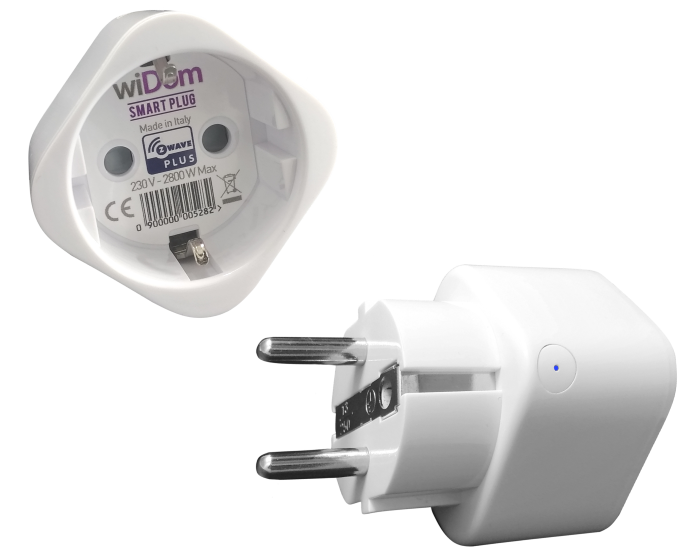
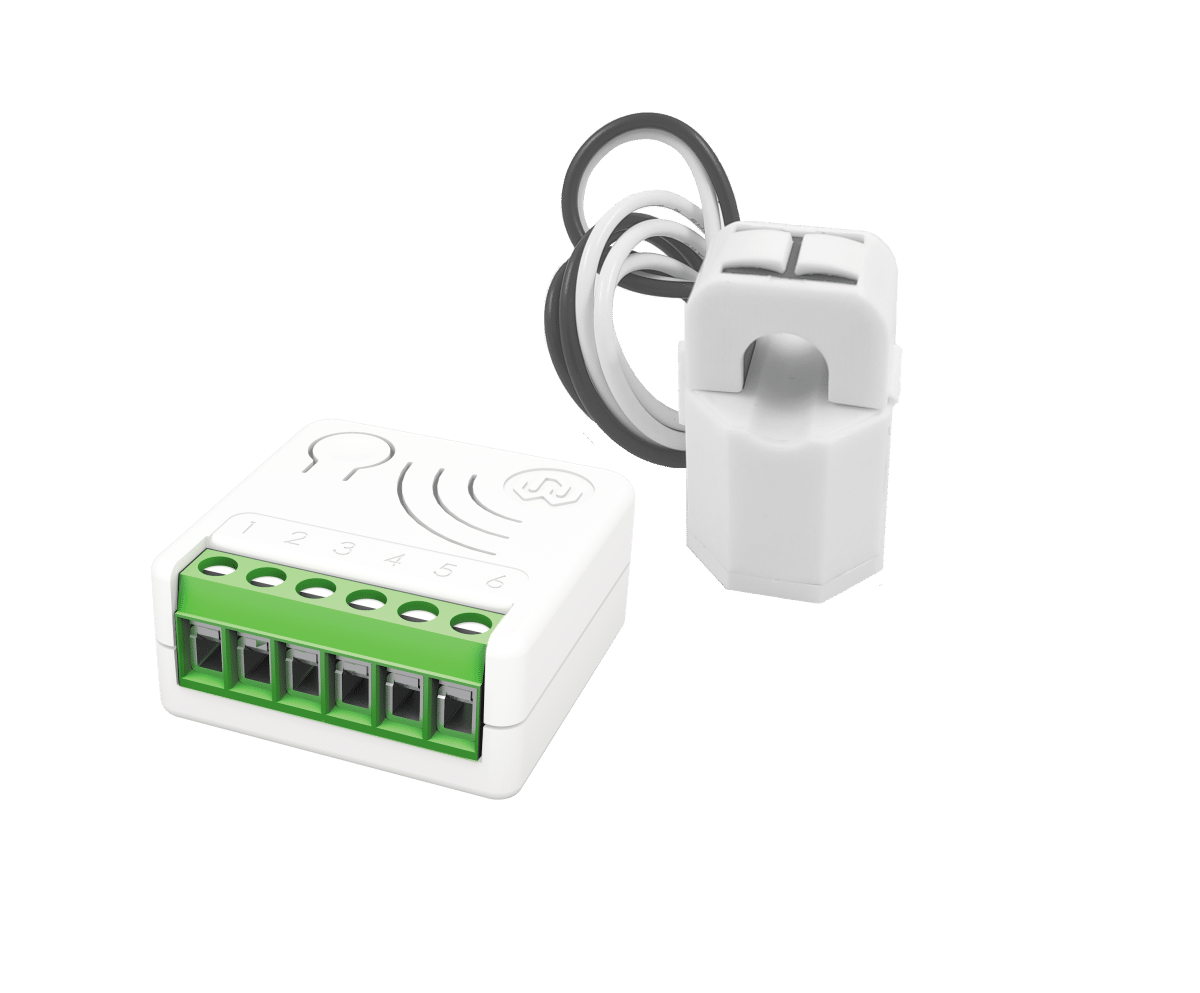
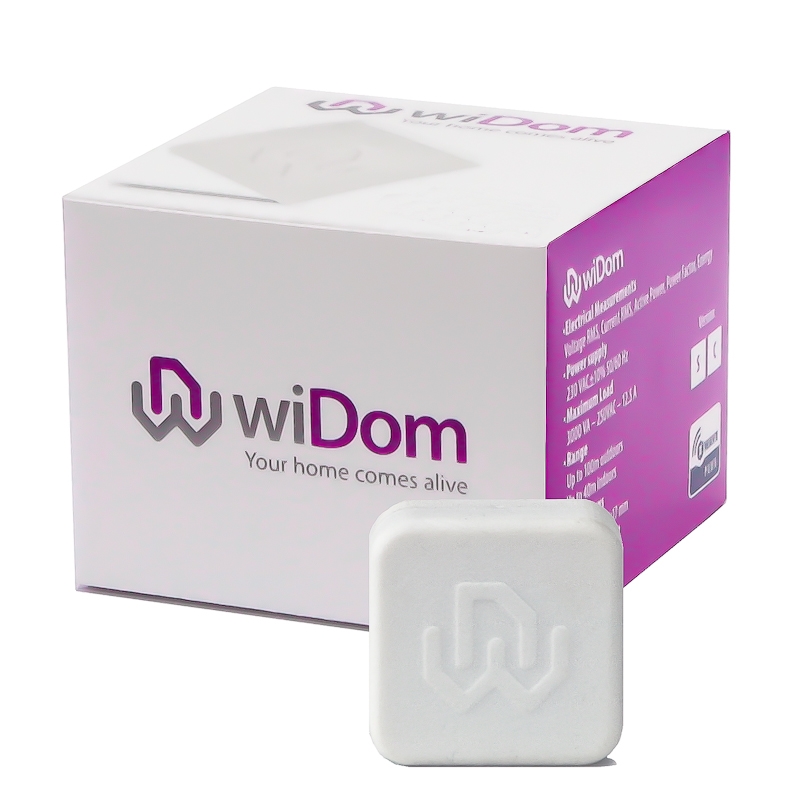
Smart Plug is able to detect overvoltage and/or overcurrent cases and through a multicolor LED can send alerts. Furthermore, it protects appliances from eventual overload. A very innovative design, which integrates a complex system that allows a precise energy consumption monitoring. The integration of these features in its very small size product, make it unique on the market. Alerts and visual feedback with RGB LED An RGB LED on the device provides visual feedback for overvoltage and / or overcurrent and overpower detection. Small size and innovative design The WiDom Smart Plug has an elegant design and small size that allows a perfect integration in any home environment. Monitoring of energy consumption Within the WiDom Smart Plug is integrated a very precise energy consumption meter that allows you to monitor the consumption of the connected equipment. Simplified device inclusion and exclusion WiDom Smart Plug can be included in any Z-Wave network and work with Z-Wave devices from any other company. WiDom Smart Plug, used as a constantly powered node, will act as a signal repeater to increase network reliability. WiDom Smart Plug is compatible with all Z-Wave certified controllers. Associations and Multiclick WiDom Smart Plug can control, through association, other devices of the Z-Wave network in which is included, when an event of overcurrent, overvoltage or events on the Push Button occur. It is possible to activate a multiclick recognition, for example, you can check with a single click the load connected to the Smart Plug and double-click the associated devices. Zero crossing - Contact protection technology To reduce the electrical stress on the relay contacts and ensure a longer life, the open / closed switching of the device always occur when the instantaneous value of voltage is 0. S2 Security The Smart Roller Shutter uses a strong and secure S2 protection system, which provides advanced security features and eliminates the risk of hacking of devices.
Want to buy adds it to your wish list and follows Widom for updates. I own it adds it to your collection.
Smart Plug is able to detect overvoltage and/or overcurrent cases and through a multicolor LED can send alerts. Furthermore, it protects appliances from eventual overload. A very innovative design, which integrates a complex system that allows a precise energy consumption monitoring. The integration of these features in its very small size product, make it unique on the market. Alerts and visual feedback with RGB LED An RGB LED on the device provides visual feedback for overvoltage and / or overcurrent and overpower detection. Small size and innovative design The WiDom Smart Plug has an elegant design and small size that allows a perfect integration in any home environment. Monitoring of energy consumption Within the WiDom Smart Plug is integrated a very precise energy consumption meter that allows you to monitor the consumption of the connected equipment. Simplified device inclusion and exclusion WiDom Smart Plug can be included in any Z-Wave network and work with Z-Wave devices from any other company. WiDom Smart Plug, used as a constantly powered node, will act as a signal repeater to increase network reliability. WiDom Smart Plug is compatible with all Z-Wave certified controllers. Associations and Multiclick WiDom Smart Plug can control, through association, other devices of the Z-Wave network in which is included, when an event of overcurrent, overvoltage or events on the Push Button occur. It is possible to activate a multiclick recognition, for example, you can check with a single click the load connected to the Smart Plug and double-click the associated devices. Zero crossing - Contact protection technology To reduce the electrical stress on the relay contacts and ensure a longer life, the open / closed switching of the device always occur when the instantaneous value of voltage is 0. S2 Security The Smart Roller Shutter uses a strong and secure S2 protection system, which provides advanced security features and eliminates the risk of hacking of devices.
Hardware platform
ZM5101
Short description
Smart Plug is able to detect overvoltage and/or overcurrent cases and through a multicolor LED can send alerts. Furthermore, it protects appliances from eventual overload. A very innovative design, which integrates a complex system that allows a precise energy consumption monitoring.
Product identifier
WSP
Countries / regions
European Union
Certification number
ZC10-19046462
Radio range z wave (m)
40
Configuration parameters
Parameter Number Name Description Format Size Min Value Max Value Default Value Parameter Values 1
Supports explorer frames
Yes
Supported command classes
Identifier Name Key Version COMMAND_CLASS_FIRMWARE_UPDATE_MD_V4
Controlled command classes
Identifier Name Key Version COMMAND_CLASS_BASIC_V2
Supported / controlled meter types
Meter Type Rate Type Description Electric meter
Value 2800 switch type value push button firmware updatable value updatable by consumer by rf supported meter type value electric energy association groups
Group Number Maximum Nodes Supported End Point ID Description 3
From to description 2 2 2 clicks turn on/off the local load 1 1 1 click turn on/off the local load 3 3 1 click or 2 clicks turn on/off the local load 3 level used to control the devices associated to group 5 defines how to control the devices associated to 2 clicks event. 0 1 0 0 100 from to description 100 100 if the relay is on/off, the associated devices are on/off 1 1 the associated devices are switched on 1 99 the associated devices (dimmer, roller shutters) are set to the indicated level 0 0 the associated devices are switched off 7 level used to control the devices associated to group 3 define how to control the devices associated to the overvoltage alarm 0 1 0 0 0 from to description 1 1 the associated devices are switched on 0 0 the associated devices are switched off 1 99 the associated devices (dimmer, roller shutters) are set to the indicated level 2 level used to control the devices associated to group 4 ( defines how to control the devices associated to 1 click event. 0 1 0 0 100 from to description 1 99 the associated devices (dimmer, roller shutters) are set to the indicated level 0 0 the associated devices are switched off 100 100 if the relay is on/off, the associated devices are on/off 1 1 the associated devices are switched on 4 overvoltage level defines the voltage level (in volts) beyond which an overvoltage event is identified and the overvoltage timer is activated. the timer is reset when the event ceases, i.e. when the voltage returns below the overvoltage level. as soon as an overvoltage event occurs, the led starts a blue blinking. if the overvoltage event ceases before the overvoltage timer expires, the blue blinking is stopped, otherwise the alarm is generated and the blinking reset is established by parameter 6. 0 2 0 0 253 from to description 110 260 defines the overvoltage level (in volts) 5 overvoltage timer define the time (seconds) in which the voltage must persist above the overvoltage level so that an alarm is generated. 0 2 0 0 5 from to description 1 3600 overvoltage time interval (in seconds) after witch an alarm is generated 9 overcurrent timer define the time (seconds) in which the current must persist above the overcurrent level so that an alarm is generated and the relay is opened. 0 2 0 0 10 from to description 1 3600 overcurrent time interval (in seconds) after witch an alarm is generated 10 overcurrent alarm reset define how to reset the over current alarm and breaks off the red blinking. 0 1 0 0 1 from to description 1 1 when the over voltage event is terminated 0 0 manual when the relay change its state through the push button 11 level used to control the devices associated to group 2 define how to control the devices associated to the overcurrent alarm. 0 1 0 0 0 from to description 0 0 the associated devices are switched off 1 99 the associated devices (dimmer, roller shutters) are set to the indicated level 1 1 the associated devices are switched on 6 define how to reset the overvoltage alarm and breaks off the blue blinking. 0 1 0 0 0 from to description 0 0 manual when the relay change its state through the push button 1 1 when the overvoltage event is terminated texts